
Network Infrastructure
Networks Engineered for Uptime, Not Guessed At
A business network is the plumbing behind every application, phone call, and file transfer you rely on. Inoconn designs, installs, and manages wired and wireless networks across the Las Vegas metro — with predictive Wi-Fi surveys, documented VLAN segmentation, redundant links, and 24/7 monitoring built in from day one.
Detailed Service Overview
Network infrastructure is the layer most businesses only notice when it stops working — and by then, the cost of the outage is usually many times what a proper design would have cost in the first place. It encompasses the switches that connect your desks, the firewalls that separate you from the internet, the wireless access points blanketing your Summerlin office in signal, the structured cabling behind the walls, and increasingly the SD-WAN or ZTNA overlay tying multiple locations and remote workers into one logical network.
Inoconn plans and builds networks for Las Vegas businesses from single-suite offices in Henderson to multi-floor construction and manufacturing sites in North Las Vegas. Every engagement starts with the same discipline used in enterprise environments: a physical site survey, a predictive Wi-Fi model, a documented logical topology, and a written bill of materials with model numbers, part numbers, and cable counts. Nothing gets quoted from a guess.
This service is designed for organizations at three inflection points. First, a new office build-out or move — the moment cabling is the cheapest it will ever be, and the moment nine out of ten Wi-Fi complaints are locked in for the next five years by a bad AP placement decision. Second, a network that has outgrown its original design — the flat /24 that worked at 12 employees is now 65 users, three VLANs of shadow IT, and a firewall running at 90% CPU. Third, a multi-site organization that needs consistent policy, unified visibility, and a real WAN strategy across locations that today are managed one router at a time.
We are hardware-neutral by principle but standardize per environment. For most Las Vegas SMB deployments the shortlist is Fortinet, Cisco Meraki, Ubiquiti UniFi, and Aruba Instant On — each chosen for a specific fit, not because of a rebate. Once the design is signed off, the same team that engineered it installs it, documents it, and monitors it. There is no throw-it-over-the-wall handoff between a cabling crew and a support team.
The primary problems we solve are chronic Wi-Fi dead zones and packet loss, undocumented networks that no one dares touch, flat unsegmented networks where a compromised laptop reaches the ERP database, cross-site VPNs that drop under load, and networks built without capacity headroom that fall over the day a new video app or line-of-business system is rolled out. Each one is a specific design pattern, and each has a specific remediation.
Inoconn Commitment
Every service we deliver is backed by our satisfaction guarantee and decades of combined IT expertise.
How it looks
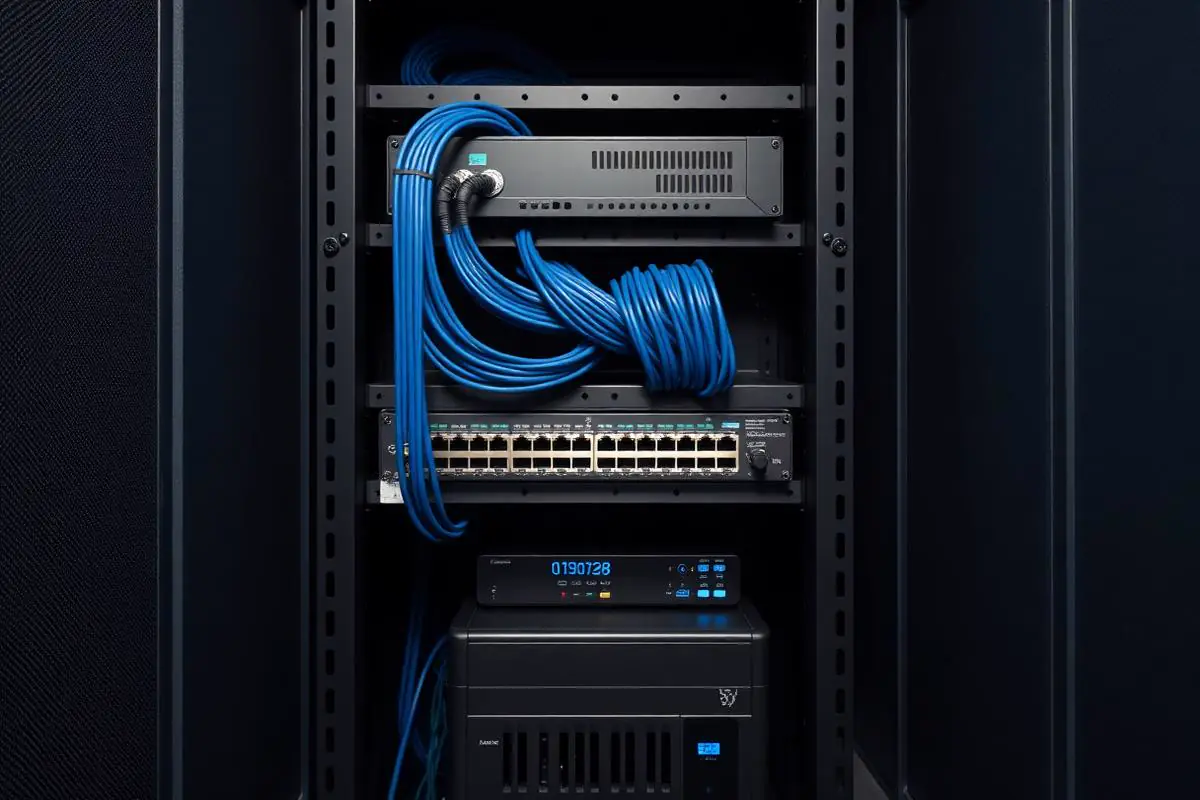
A network built to stay quiet
Clean cabling, labeled ports, and standardized configurations mean the next change or troubleshooting step doesn't become an outage.
Critical Insight
Why Network Design Is the Cheapest Insurance You Can Buy
Why This Service Matters
Networks fail in ways that look like everything else's problem. A degraded switch port shows up as 'Teams keeps freezing.' An oversubscribed uplink shows up as 'the ERP is slow after lunch.' A misplaced access point shows up as 'the sales team can't get on Wi-Fi in the north conference room.' Without a documented physical and logical design, every one of these becomes an expensive investigation instead of a five-minute lookup.
The security case is even harder to ignore. In flat, unsegmented networks — still the default in most SMBs we walk into — a single compromised endpoint can reach the file server, the accounting workstation, and the vendor management console with the same ease as the legitimate user. Proper VLAN segmentation and east-west firewalling turn a bad afternoon into a contained incident. This is now a standard cyber-insurance underwriting question, not a nice-to-have.
Finally, capacity planning is where the difference between good and bad networks compounds. A 10-year-old switch running at 100 Mbps to the wall plate is a hidden tax on every user, every day. Gigabit-to-desktop and Wi-Fi 6/6E to the ceiling change day-to-day experience in ways users notice immediately and rarely go back from.
Where the network matters
When connectivity is the operation
Warehouses, clinics, and retail spaces run on the assumption that scanners, phones, terminals, and cameras stay online — a network hiccup is not a technology story, it's a lost hour of revenue.

Where This Fits
Network Environments We Design and Support
Network work is scoped to the physical space, user density, and business applications the network needs to carry.
Professional offices
New office build-outs and refreshes of aging wired and wireless infrastructure.
Retail locations
Storefronts needing reliable payment, guest Wi-Fi, and back-office connectivity.
Medical and dental practices
Practices with imaging and clinical devices that require reliable local bandwidth.
Multi-location businesses
Organizations that need consistent networking policy and monitoring across sites.
Warehouse and light industrial spaces
Environments where distance, obstructions, and mobile devices drive design decisions.
Problems → Solutions
Challenges We Eliminate
Wi-Fi Coverage Is a Constant Complaint
Dead zones in conference rooms, weak signal in the warehouse, roaming that drops calls between APs. It has been 'looked at' twice and never actually surveyed.
Predictive and On-Site Wireless Surveys
Ekahau or Hamina predictive modeling from the floor plan, followed by an on-site validation walk with a spectrum analyzer. AP count, placement, channel plan, and PoE budget come out of engineering, not guesswork.
The Network Is Undocumented
Nobody has a diagram, port-map, or VLAN plan. Making a change means unplugging cables until something breaks — and often something unrelated does.
Documented Logical and Physical Design
You get a network diagram, VLAN plan, IP address plan, port-map, cabinet elevation, and cabling schedule before hardware is ordered. Every future change starts from that document.
Flat Network With No Segmentation
Guests, IoT devices, printers, servers, and users all share one broadcast domain. Any compromise reaches everything at Layer 2.
VLAN Segmentation and East-West Firewalling
Users, guests, VoIP, IoT/OT, printers, servers, and management on separate VLANs with explicit inter-VLAN rules — and, where warranted, a segmentation firewall between server VLANs and the rest of the network.
Aging or Consumer-Grade Gear in a Business Setting
A Best Buy router covering a 40-user office, an unmanaged switch running the entire second floor, PoE budgets that can't power the cameras someone quoted last month.
Firewall as a Managed Service
Next-gen firewalls (FortiGate, Meraki MX, Palo Alto) deployed with IPS, application control, DNS filtering, and geo-blocking tuned to your business — plus a documented change process and quarterly rule review to prevent drift.
Multi-Site Networks Managed One Router at a Time
Two or three offices each configured differently, policy drift on every device, and troubleshooting requires driving to the site to see what's actually deployed.
SD-WAN and Redundant Connectivity
For multi-site or bandwidth-sensitive clients: SD-WAN overlay with primary + backup circuits (Cox, Lumen, LTE/5G), automatic failover, and application-aware routing. Meaningful uptime improvement at a small premium over a single circuit.
Firewall Rules Nobody Understands
Years of accumulated 'any/any' rules, expired VPN tunnels, and forgotten port-forwards. Removing anything is scary; leaving it is a real security exposure.
Structured Cabling to TIA-568 Standards
Cat6/Cat6A copper and OM4 fiber installed by our low-voltage crew, tested and certified, labeled at both ends, and documented in the port-map. Not an afterthought bundled into a hardware quote.
Engagement Model
How a Network Engagement Runs
Network projects begin with the space and the business use of the network, not with equipment selection.
Site review
Walk-through and floor-plan review to understand user density, device types, and physical constraints.
Requirements review
Discussion of business applications, tolerances, wireless coverage expectations, and multi-site needs.
Network design
Written design covering firewall, switching, wireless, and remote-access approach with equipment recommendations.
Implementation planning
Sequencing, cutover windows, and communication to minimize business disruption during changes.
Deployment
Installation, configuration, and validation of the designed network.
Documentation and handoff
As-built diagrams, credentials, and configuration documentation delivered at close.
The install work
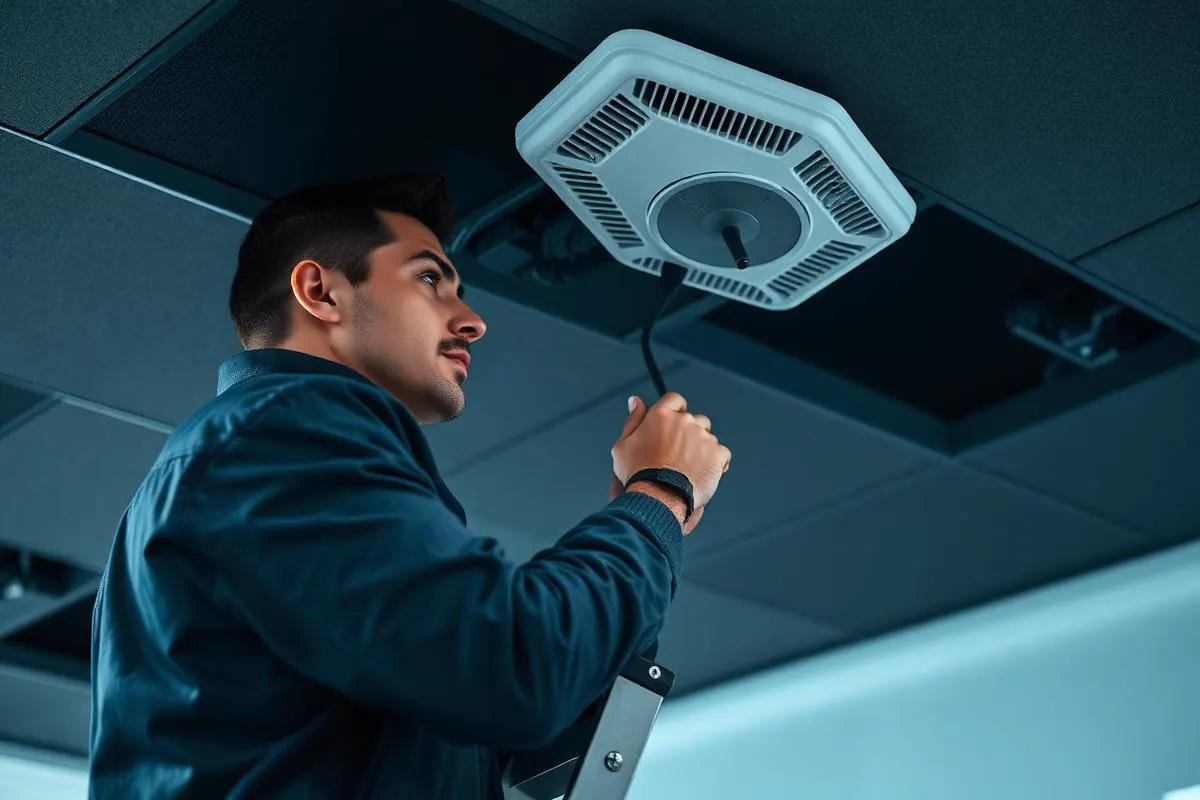
Access points placed for coverage, not convenience
APs go where users actually work, not where the ceiling was easiest — because a well-placed radio and clean cabling remove more support tickets than any subsequent tuning ever will.
Networking Platforms
Network Technology Coverage
Network design and support is scoped to business-grade equipment we regularly deploy and support. Consumer-grade equipment is not part of production designs.
Business firewalls
Rule design, monitoring, and change management on supported business-grade firewalls.
Managed switches
VLAN, PoE, and port configuration for structured office and multi-site environments.
Business Wi-Fi
Access-point design, controller configuration, and coverage planning for offices and clinical spaces.
SD-WAN and multi-site connectivity
Site-to-site connectivity planning for multi-location businesses.
Remote access
VPN and secure remote-access design for hybrid teams.
The core
Switching, routing, and wireless — as one system
Switch VLANs, firewall rules, and wireless profiles are configured to match, so an issue at the access layer is diagnosed in minutes instead of by process of elimination.
What's Included
Predictive + On-Site Wi-Fi Surveys
Ekahau/Hamina modeling plus physical validation. AP placement is engineered for the space you actually work in, not the one on the drawing.
Full Physical & Logical Documentation
Diagrams, port-maps, VLAN plans, IP plans, and rack elevations kept current in IT Glue/Hudu — yours to keep.
Next-Gen Firewall with Managed IPS
FortiGate, Meraki MX, or Palo Alto with signature updates, geo-blocking, and quarterly rule review to prevent drift.
Segmentation by Design
User / guest / VoIP / IoT / printer / server / management VLANs with explicit rules, not a flat network with 'we should segment eventually.'
SD-WAN & Circuit Redundancy
Dual-carrier failover with application-aware routing for multi-site and bandwidth-critical single-site clients.
PoE Capacity Planning
PoE budget engineered for cameras, phones, APs, and door controllers with headroom — not discovered at install time.
Structured Cabling In-House
Cat6/6A copper and fiber pulled and certified by our low-voltage team; labeled and documented as part of the build.
24/7 Network Monitoring
Every device polled continuously; alerts triaged by our NOC before user tickets get opened.
Guest & BYOD Wi-Fi With Captive Portal
Isolated guest network with a branded splash page, bandwidth caps, and no path to internal resources.
Change-Managed Configuration
Every firewall or switch change ticketed, peer-reviewed, and logged. Rollback plans on non-trivial changes.
Outcomes That Matter
Benefits & Results
Wi-Fi That Actually Works Everywhere
No more dead zones, dropped calls, or 'try the other conference room.' A surveyed network is a settled network.
Key Advantage
Contained Blast Radius on Incidents
Segmentation means one compromised laptop stays on one VLAN — the difference between a bad day and a breach.
Better Application Performance
QoS for VoIP and video, dedicated VLANs for latency-sensitive traffic, and headroom-based capacity planning turn 'the network is slow' into a solved problem.
Real Multi-Site Consistency
Every location follows the same template — same VLANs, same rules, same monitoring — so support and audits are straightforward.
Faster Changes and Onboarding
Adding a new desk, phone, camera, or VLAN is a documented procedure, not an archaeological dig.
Vendor-Neutral Recommendations
We standardize per environment on merit, not on which vendor pays the largest SPIF this quarter.
Documentation You Own
If we ever part ways, the next team inherits a network they can pick up cold. Documentation belongs to the client.
What it delivers
The transaction that doesn't stall
Every point-of-sale swipe, phone call, and warehouse scan depends on a network that quietly forwards packets — the payoff is that customers never notice the plumbing.

Risks Addressed and Operational Outcomes
What a Structured Network Is Designed To Change
Network work is designed to remove specific sources of daily friction and to make future changes safer to plan.
Risks addressed
- Unmanaged, consumer-grade equipment carrying business traffic
- Wireless dead zones and inconsistent guest access
- Undocumented cabling and rack layout
- Site outages that block work across the organization
- Ad-hoc remote-access approaches without visibility
Operational outcomes
- A written network design suited to the space and the team
- Business-grade equipment with monitoring and change control
- Documented rack layout and network diagrams
- A remote-access model appropriate for hybrid teams
- A plan for future site changes rather than one-off reactions
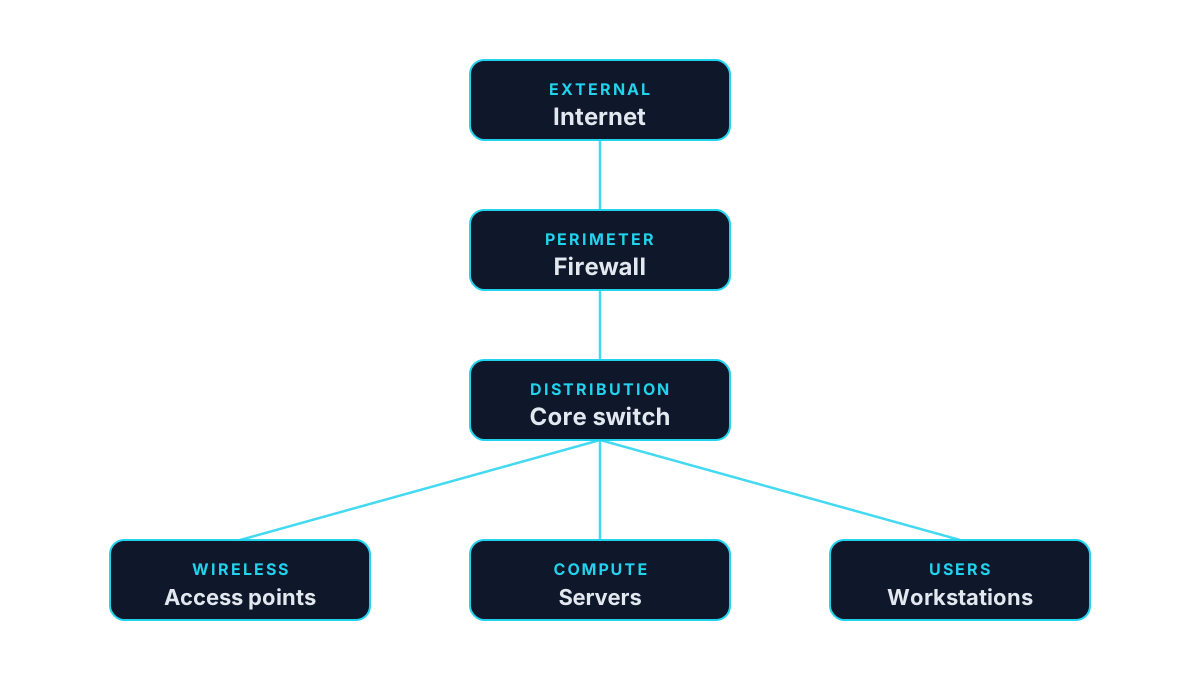
A typical business topology
Who This Service Is For
Whether you're a homeowner, small business, or enterprise — we tailor our approach to your specific needs.
New Office Build-Outs and Relocations
The single moment when getting cabling, AP placement, and cabinet layout right is dramatically cheaper than any later remediation.
Growing Offices That Outgrew Their Original Setup
Businesses that started with a consumer router and are now 40+ users, hitting real capacity, security, and reliability walls.
Multi-Site Organizations
Firms with two or more Las Vegas metro locations, or a HQ plus jobsite trailers, that need consistent policy and visibility across sites.
Warehousing, Manufacturing & Distribution
Facilities with scanners, shop-floor Wi-Fi, cameras, and OT devices that require proper wireless design and IT/OT segmentation.
Healthcare & Dental Practices
Clinical environments where imaging, EHR, and phone systems share the same network and any packet loss is a patient-experience problem.
Hospitality, Retail, and Multi-Tenant Spaces
Environments with heavy guest Wi-Fi demand, PCI segmentation obligations, and PoE-hungry device counts.
Planning the layout
Topology decisions before the cable is pulled
Segmentation, capacity, and future growth are agreed in advance — so the network built this year still fits when a second floor, a warehouse, or a new office comes online.

Is This the Right Fit
When Network Work Is the Right Starting Point
Network engagements often overlap with structured cabling. The right first step depends on whether the space itself needs work.
This is a good fit when
You need a documented network for the current or new space
Firewalls, switching, wireless, and remote access need to be designed as a coordinated set.
A different service may fit better
Consider Structured Cabling
If the physical cabling in the space is missing, damaged, or unable to support the design being planned.
Structured CablingConsider Managed IT
If the network should live inside a broader operating model with monitoring and change control.
Managed IT
Technology & Tools
We leverage industry-leading platforms and enterprise-grade equipment to deliver reliable, future-proof solutions.
Preferred where deep IPS, SSL inspection, and Security Fabric visibility across firewall/switch/AP are decisive. FortiManager for multi-site.
Preferred for cloud-native multi-site management and mid-market wireless density with straightforward dashboarding.
Cost-effective option for single-site SMBs where local management, high AP density, and PoE switching matter more than cloud-first ops.
Aruba for wireless-critical deployments and mixed-vendor environments where standards-based interop matters.
Predictive and validation Wi-Fi survey tools. Every wireless design is modeled and then verified on-site.
Application-aware routing across dual carriers for multi-site or bandwidth-sensitive single-site clients.
TIA-568 compliant install, tested with Fluke DSX and certified to the correct category. Labeling and documentation as deliverables.
Southern Nevada Context
Network Projects Across the Las Vegas Valley
Network projects across the Las Vegas Valley are on-site by nature. Site reviews, cutovers, and deployment days are handled in person, with monitoring and change management continuing remotely afterward.
Coverage includes Las Vegas, North Las Vegas, and Henderson.
- Las Vegas
- North Las Vegas
- Henderson
Service Tiers & Options
Network Design & Assessment
Fixed-fee engagement producing a written physical + logical design, bill of materials, and 3-year lifecycle plan. No installation obligation.
Turnkey Network Build
Design, cabling, hardware supply, installation, cutover, and documentation as one project. Best for new offices, moves, or full refreshes.
Managed Network Services
Ongoing monitoring, firmware management, quarterly config audit, firewall rule review, and 24/7 NOC response on a monthly subscription.
Frequently Asked Questions
Get answers to the most common questions about this service. Can't find what you're looking for? Contact us directly.
Getting Started
Preparing for an Engagement
Practical guidance for leadership evaluating whether this service is the right next step.
Preparing for an assessment
- A floor plan or a rough diagram of the space
- A sense of user count, meeting rooms, and physical constraints
- Any business-critical applications the network needs to carry
- Whether the engagement is a new build, refresh, or relocation
Information to gather
- Existing internet circuits and carriers
- Existing firewall, switching, and wireless equipment
- Current wireless coverage complaints, if any
- Any multi-site or remote-access requirements
Ready for Network Infrastructure?
Don't let technology problems slow you down. Contact Inoconn today to discuss your goals and see how our team can deliver the results you need — reliable, expert IT support you can build a business on.
No obligation. Honest, expert IT support.
Client success story
99.9% uptime across business systems
Showroom and warehouse systems were reconnected around reliable infrastructure and proactive remote monitoring.
See the Summit Tile & Stone infrastructure storyBuyer Journey
Where This Fits in a Broader IT Program
Business technology decisions rarely stand alone. These are the services most commonly discussed alongside this one and why they show up together.