
Cloud Solutions
Migrate, Manage, and Optimize Your Cloud — Without the Guesswork
The cloud is only cheaper, faster, and more secure than on-prem when it's designed and operated correctly. Inoconn plans, executes, and manages Azure, AWS, Google Cloud, and Microsoft 365 environments for Las Vegas businesses — with a documented migration playbook and ongoing FinOps discipline.
Detailed Service Overview
Cloud services fall into three practical buckets: SaaS (Microsoft 365, Google Workspace, line-of-business apps), IaaS (virtual machines and networking in Azure, AWS, or GCP), and PaaS (databases, storage, and app services consumed as APIs). Most Las Vegas SMB engagements involve all three simultaneously — usually anchored by a Microsoft 365 tenant, some Azure VMs for legacy Windows workloads, and a growing set of SaaS applications the business has adopted opportunistically over the last five years.
Inoconn provides cloud solutions across the full lifecycle: readiness assessment, platform selection, target-state architecture, migration execution, post-migration hardening, and ongoing 24/7 management. We are platform-neutral by design — we hold certifications and delivery experience across Microsoft Azure, Amazon Web Services, Google Cloud, and Microsoft 365, and we recommend based on the workload, not commissions.
This service is designed for businesses at three distinct inflection points. First, on-premises server refresh — your Dell PowerEdge is five years old, the warranty is up, and quoting a like-for-like replacement is the moment to ask whether the workload still belongs on-prem. Second, remote and hybrid work stabilization — you need consistent, secure access to line-of-business applications from a Summerlin office, a Boulder City job trailer, and a kitchen table in Henderson. Third, cost control on an existing cloud footprint that has quietly grown to a five-figure monthly invoice with no one owning optimization.
The primary business challenges we address are downtime risk from aging hardware, capital expense pressure, remote-access limitations, cloud cost sprawl, security and compliance gaps in current cloud deployments, and the absence of a coherent multi-year cloud strategy. Each is a distinct engagement pattern with its own deliverables — we don't force every client into a full migration when a targeted optimization solves the problem.
Our approach is grounded in the AWS / Azure '6 Rs' migration framework (Rehost, Replatform, Repurchase, Refactor, Retire, Retain). Every workload is evaluated individually against those options — because the cheapest cloud migration is often the one where you retire the workload entirely instead of lifting-and-shifting it. That kind of honesty is not always in a cloud vendor's interest, but it is always in yours.
Post-migration, cloud operations is where value is either compounded or leaked. We run continuous cost management (right-sizing, reserved instances / savings plans, auto-shutdown of non-prod, egress monitoring), continuous security (Defender for Cloud, GuardDuty, or SCC baselines mapped to CIS benchmarks), and continuous reliability (multi-AZ where warranted, tested DR runbooks, and monitored SLOs). The FinOps discipline alone typically reduces monthly cloud spend by 20–40% in the first two quarters of active management.
Inoconn Commitment
Every service we deliver is backed by our satisfaction guarantee and decades of combined IT expertise.
How it looks
The same tools, wherever people work
Identity, files, and apps follow the person — not the device — so hybrid teams stay productive without ad-hoc workarounds.

Critical Insight
Why a Real Cloud Strategy Matters Now
Why This Service Matters
The on-premises math has changed. A modern Windows Server refresh — hardware, licensing, backup appliance, UPS, and three years of maintenance — routinely exceeds the equivalent Azure or AWS run-rate once you honestly account for power, cooling, floor space, hardware failure, and the engineer-hours to keep it patched. For most SMBs, cloud is no longer the more expensive choice; it is the correctly-priced choice.
The workforce math has also changed. Post-2020 hybrid work is not going away, and VPN-based access to on-prem file servers is not a durable architecture — it is slow, fragile, and a documented ransomware pivot point. Cloud-native identity (Entra ID), cloud file storage (SharePoint / OneDrive / Azure Files), and cloud desktops (Azure Virtual Desktop, Windows 365) exist because the VPN model doesn't scale to distributed teams.
Meanwhile, cloud without discipline is expensive. We regularly audit clients whose bill is 40% higher than it needs to be because a developer stood up test VMs a year ago and never turned them off, or because Azure Reserved Instances were never purchased on stable workloads, or because a single S3 bucket is serving public egress traffic no one is metering. FinOps is a specific practice, not a vibe.
Finally, security and compliance are meaningfully better in a well-configured cloud than in a typical SMB server closet — and meaningfully worse in a poorly-configured one. The controls exist (encryption everywhere, identity-based access, audit logs, immutable storage, geo-redundancy) but they are opt-in. Turning them on correctly is the actual service.
Where it matters
Distributed work is the default now
Projects, files, and reviewers rarely sit in one building anymore — cloud services exist so that the working day doesn't stop when the person you need isn't down the hall.

Where This Fits
Cloud Environments We Plan and Support
Cloud engagements are scoped around the workloads an organization actually runs today and the outcomes it wants next.
Professional offices
Organizations replacing aging on-premise file servers with cloud-first collaboration.
Multi-location businesses
Companies consolidating file access, identity, and email across sites.
Hybrid workforces
Teams that need consistent access from office and remote locations.
Internal IT departments
Existing IT teams needing supplemental planning capacity for a migration.
Nonprofits
Organizations rationalizing donor, financial, and productivity platforms into fewer systems.
Problems → Solutions
Challenges We Eliminate
On-Prem Servers at End of Life
Your Windows Server 2016 hosts are out of mainstream support, the RAID controller is throwing predictive-failure alerts, and the quote to replace the whole stack is uncomfortable. Every month you defer, the risk profile gets worse.
Cloud Readiness Assessment
Workload-by-workload evaluation using the 6-R framework, with a written recommendation for each application: rehost, replatform, repurchase (SaaS), refactor, retire, or retain. Includes a 3-year TCO comparison of on-prem vs cloud vs hybrid.
Remote Access Is Slow and Fragile
VPN sessions drop, file opens over the tunnel are painfully slow, and remote workers routinely give up and email files to themselves — introducing security and version-control problems your policies pretend don't exist.
Target-State Architecture Design
Documented Azure Landing Zone, AWS Control Tower, or GCP organization structure with network topology, identity design, security baselines, backup/DR posture, and tagging/cost-allocation strategy — before a single VM is provisioned.
Cloud Bill Is Growing Faster Than Usage
You're already in Azure or AWS and the monthly invoice keeps climbing. Nobody can explain exactly what's driving the increase, and no one has ever purchased a reserved instance.
Phased Migration Execution
Migration waves grouped by dependency, run in defined change windows with rollback plans and cutover comms. Typical mid-market migration lands in 8–16 weeks with zero or near-zero user-visible downtime.
Half-Done Microsoft 365 Rollout
You migrated email years ago but Teams, SharePoint, OneDrive, Intune, and Purview are half-configured or ignored. You're paying for licenses you're not extracting value from.
Microsoft 365 Migration and Hardening
Mailbox, OneDrive, and SharePoint migration from on-prem Exchange, G Workspace, or another tenant, plus configuration to CIS M365 benchmarks — MFA, Conditional Access, DKIM/DMARC, retention, and DLP.
No Documented Cloud Strategy
Different departments have adopted different SaaS tools with no central identity, no SSO, no offboarding process, and no cost visibility. Shadow IT is now most of your IT.
FinOps Cost Optimization
Right-sizing, reserved instances / savings plans, spot where appropriate, auto-shutdown of non-prod, storage tiering, egress monitoring, and monthly showback reporting so leadership actually sees which workloads cost what.
Disaster Recovery Is Theoretical
You 'have backups' but nobody has ever performed a full restore, and the RTO/RPO nobody wrote down would be measured in days, not hours.
Ongoing Cloud Operations
24/7 monitoring, patching, backup, security posture management, and quarterly architecture reviews. Cloud is not 'set and forget' — it is a continuously-tuned environment.
Engagement Model
How a Cloud Engagement Runs
Cloud engagements begin with a review of what the organization runs today and what it wants next, before any migration decision is made.
Discovery
Understanding user workflows, current file and mail platforms, and business drivers behind the cloud initiative.
Environment assessment
Inventory of tenants, licenses, identity sources, file shares, and integrations that would be affected.
Cloud planning
A written plan covering target platforms, licensing, identity model, migration sequence, and rollback considerations.
Implementation
Structured migration of mail, files, identity, or workloads in phases with change communication to users.
Documentation and administrator handoff
Configuration documentation, license summary, and administrator reference material delivered on completion.
Post-migration review
A review after users have settled in to catch adoption gaps, cleanup items, and next-phase opportunities.
How we migrate
Moving workloads without moving problems
Migrations happen in stages that can be paused and reversed — identity first, then files, then apps — so a mid-project surprise is a delay, not an outage.

Cloud Platforms
Cloud Platforms We Plan and Operate
Cloud planning is scoped to the platforms an organization actually uses or is committing to. Every migration is preceded by a written plan and a review of licensing implications.
Microsoft 365
Mail, file, and collaboration workloads including Teams, SharePoint, and OneDrive.
Microsoft Azure
Cloud planning, identity, migration, and supported administrative needs.
Microsoft Entra ID
Cloud identity structure and policy for organizations moving off legacy directory services.
SharePoint and OneDrive
File and content structure aligned to team, department, and access-review needs.
Microsoft Teams
Meeting, chat, and telephony configuration where the organization has adopted Teams.
What runs where
Some things stay local, some don't
A pragmatic mix — cloud identity and productivity, plus on-premises equipment where local performance or compliance require it — keeps the option to change your mind later.

What's Included
Multi-Cloud Certified Engineers
Microsoft Azure, AWS, Google Cloud, and Microsoft 365 certified staff — recommendations based on workload fit, not vendor incentive.
Microsoft 365 Migration + Hardening
Full-tenant migration and CIS-aligned configuration: identity, email, SharePoint, OneDrive, Teams, Intune, and Purview retention/DLP.
Virtual Desktop (AVD / Windows 365 / WorkSpaces)
Cloud-hosted Windows desktops for contractors, seasonal workers, BYOD scenarios, and locked-down workflows like clinical documentation or legal e-discovery.
Cloud Backup and DR
Azure Backup, AWS Backup, or Veeam Cloud Connect with tested RTO/RPO, immutable storage, and cross-region replication where warranted.
FinOps & Cost Governance
Tagging strategy, showback reporting, RI/SP purchasing, auto-shutdown scheduling, egress monitoring, and monthly optimization recommendations.
Cloud Security Posture Management
Defender for Cloud, AWS Security Hub, or GCP Security Command Center — configured to CIS benchmarks and monitored for drift.
Hybrid Connectivity
Site-to-site VPN, ExpressRoute, or Direct Connect for latency-sensitive workloads that legitimately need to stay partially on-prem.
Infrastructure-as-Code
Terraform or Bicep templates for repeatable, reviewable, version-controlled deployments — so 'that VM was set up manually two years ago' stops being an answer.
Migration Playbooks and Runbooks
Documented cutover procedures, rollback plans, and communication templates — you get to keep the documentation whether or not you keep us.
Outcomes That Matter
Benefits & Results
Lower Total Cost of Ownership
3-year TCO typically 20–40% lower than an on-prem refresh once hardware, licensing, power, cooling, and labor are honestly counted.
Key Advantage
Real Remote-Work Enablement
Users get consistent, fast, secure access from any location — Summerlin, Henderson, Boulder City, or a hotel in Denver — without the VPN tax.
Elastic Scale
Add capacity for a busy quarter, spin up dev environments in an afternoon, or shut down a project cleanly the day it ends — none of which is possible with physical servers.
Better Disaster Recovery
Cloud-native geo-redundancy delivers RTOs and RPOs that are simply unavailable to most SMBs on-prem, at a fraction of the historical DR-site cost.
Stronger Security Posture
Encryption everywhere, identity-based access, comprehensive audit logs, and immutable backups — when configured correctly, meaningfully better than a typical SMB server closet.
Predictable Cloud Spend
FinOps discipline turns cloud from a mystery invoice into a forecast-able line item with attribution back to the business unit or project driving it.
Faster Time-to-Value on New Initiatives
New office, new application, new subsidiary — days, not months. The infrastructure stops being the constraint.
The daily result
The same tools, the same day, different rooms
The hybrid team gets a consistent experience whether the person is at the office, in a home office, or on the road — because identity, files, and apps travel with them, not with a specific device.

Risks Addressed and Operational Outcomes
What Cloud Work Is Designed To Change
Cloud work is designed to reduce operational risk during a change and to leave the organization with a supportable steady state.
Risks addressed
- Uncontrolled migrations that surprise users and leadership
- Duplicate or over-assigned licensing
- Fragmented identity across on-premise and cloud systems
- Undocumented file structures that grow into access-review problems
- Vendor lock-in taken on without a written comparison
Operational outcomes
- A written plan reviewed before any user-visible change
- A licensing model aligned to actual usage
- A cleaner identity and access baseline after migration
- Documentation an administrator can use to operate the environment
- A post-migration review that catches adoption gaps
Users, identity, apps, and data
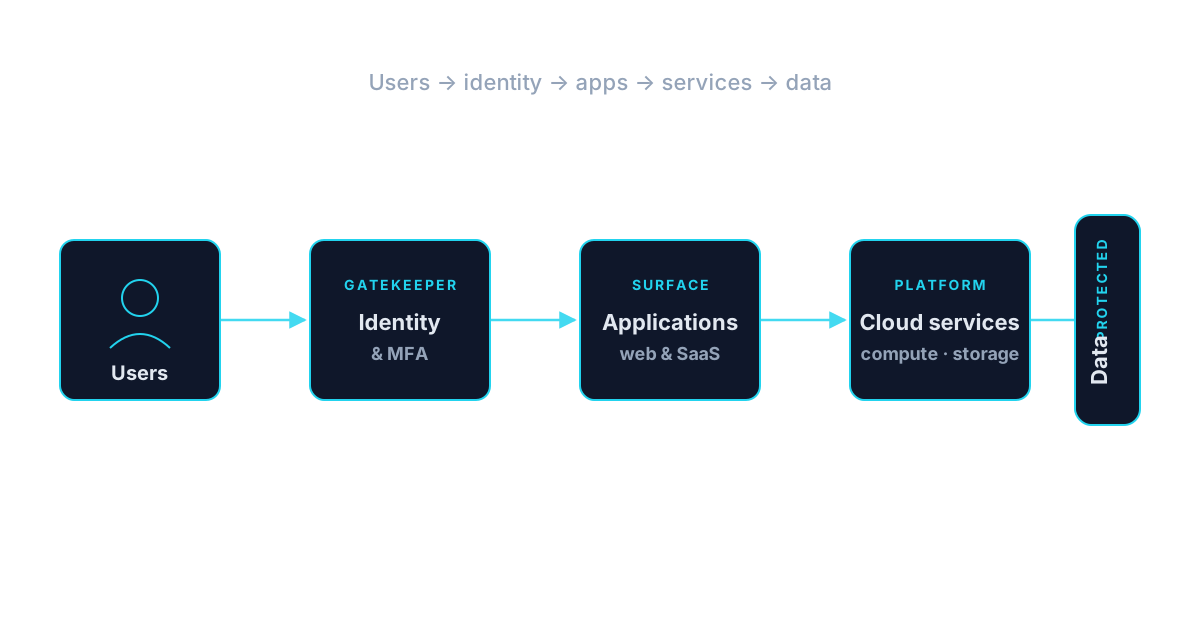
Who This Service Is For
Whether you're a homeowner, small business, or enterprise — we tailor our approach to your specific needs.
Businesses Facing a Server Refresh
Any Las Vegas SMB whose Windows Server 2016/2019 hosts, SAN, or backup appliance is aging out and considering a like-for-like replacement quote.
Remote-First and Hybrid Organizations
Firms with employees spread across Summerlin, Henderson, Boulder City, or fully remote nationwide, tired of VPN performance and duplicated data-set problems.
Healthcare, Legal & Financial Firms
Regulated industries that need cloud environments configured to HIPAA, PCI, or GLBA standards — not defaults.
Nonprofits Eligible for Microsoft Nonprofit Grants
501(c)(3) organizations that qualify for grant Microsoft 365 licensing and Azure credits we activate on your behalf.
Companies Already in Cloud With Runaway Costs
Existing Azure, AWS, or GCP tenants where the bill is climbing faster than usage and nobody owns FinOps.
Growing Firms Opening New Locations
Businesses adding a second or third office in the Las Vegas metro that need cloud-first architecture so a new site is a policy change, not a construction project.
Construction & Engineering Firms
AEC firms using Bluebeam, Procore, AutoCAD, and Revit that need fast, reliable file access from field trailers and multiple offices.
Roadmap talks
A migration plan the finance team can price
Timelines, cutover windows, and the shape of the ongoing cloud bill are put in writing up front — so cloud stops being a line item that mysteriously grows every quarter.

Is This the Right Fit
When a Cloud Engagement Is the Right Starting Point
Cloud engagements are appropriate when the organization is ready to plan or execute a change that affects users.
This is a good fit when
You are planning or executing a cloud change
A migration, consolidation, or new workload rollout needs written planning before user-visible change.
A different service may fit better
Consider IT Consulting
If the organization first needs a written recommendation on whether and how to move to the cloud.
IT Consulting
Technology & Tools
We leverage industry-leading platforms and enterprise-grade equipment to deliver reliable, future-proof solutions.
Preferred where Microsoft 365, Windows Server, SQL Server, and Entra ID are already core. Azure Landing Zone accelerator used as the baseline.
Preferred for Linux-heavy workloads, custom applications, and cases where breadth of managed services (RDS, Lambda, S3 tiering) is decisive. AWS Control Tower as the baseline.
Used selectively where BigQuery, Vertex AI, or Workspace integration is decisive.
Cloud productivity anchor: Exchange Online, SharePoint, OneDrive, Teams, Intune, Purview, and Defender for Office 365.
Cloud-hosted Windows desktops — for contractors, seasonal workers, BYOD, and locked-down workflows.
Infrastructure-as-Code so deployments are repeatable, version-controlled, and reviewable.
Cloud-native and cross-cloud backup with immutable storage and tested restore procedures.
Cloud security posture management, tuned to CIS benchmarks and monitored for drift.
Southern Nevada Context
Cloud Work in the Las Vegas Valley
Cloud engagements across the Las Vegas Valley range from small offices standing up Microsoft 365 for the first time to multi-location organizations consolidating identity and file access.
Coverage includes Las Vegas, Summerlin, and Spring Valley, with remote delivery where it fits and on-site presence for planning meetings, cutovers, and administrator handoff.
- Las Vegas
- Summerlin
- Spring Valley
Service Tiers & Options
Cloud Readiness Assessment
Fixed-fee, 2–4 week engagement producing a workload catalog, 6-R recommendation per workload, and 3-year TCO. Deliverable, not a sales pitch.
Cloud Migration Project
End-to-end migration to Azure, AWS, GCP, or Microsoft 365 — planning, landing zone, phased execution, and hyper-care through stabilization.
Managed Cloud Operations
Ongoing 24/7 management: monitoring, patching, backup, security posture, and FinOps optimization on a monthly retainer.
Frequently Asked Questions
Get answers to the most common questions about this service. Can't find what you're looking for? Contact us directly.
Getting Started
Preparing for an Engagement
Practical guidance for leadership evaluating whether this service is the right next step.
Preparing for an assessment
- A short description of current mail, file, and collaboration platforms
- Any existing Microsoft 365 or Azure tenants and the primary administrator
- Business drivers behind the cloud initiative (relocation, growth, licensing)
- A sense of the timeline leadership has in mind
Information to gather
- Current file-share structure and approximate data footprint
- Existing identity source (Active Directory, Entra ID, or standalone)
- Line-of-business applications that would be affected by a change
- Any integrations with third-party portals or platforms
Working with existing vendors
- We coordinate with existing Microsoft partners of record where they remain in place
- We work with line-of-business software vendors on their platform requirements
- We coordinate with internal IT staff on shared responsibilities
Ready for Cloud Solutions?
Don't let technology problems slow you down. Contact Inoconn today to discuss your goals and see how our team can deliver the results you need — reliable, expert IT support you can build a business on.
No obligation. Honest, expert IT support.
Client success story
Nationwide digital reach on modernized systems
Modernizing their platform and internal systems let Best Hire Career Fairs run live and virtual events nationwide without adding operational overhead.
Read the Best Hire Career Fairs case studyBuyer Journey
Where This Fits in a Broader IT Program
Business technology decisions rarely stand alone. These are the services most commonly discussed alongside this one and why they show up together.