
Server Management
Servers That Run Quietly — Because Someone Is Actually Managing Them
Servers rarely fail loudly; they fail slowly, at 3 a.m., in ways that turn into Monday-morning outages. Inoconn manages Windows Server, Active Directory, Hyper-V, VMware, and Linux workloads for Las Vegas businesses — patched, hardened, monitored, backed up, and refreshed on a documented lifecycle.
Detailed Service Overview
Server management is the discipline of keeping the machines your business actually runs on — file servers, domain controllers, database servers, application servers, hypervisors, virtualization hosts — patched, hardened, monitored, backed up, and available. In practice it spans configuration management, capacity planning, security hardening, patch management, backup integration, and eventual lifecycle replacement. Every one of those is a discipline in its own right; skipping any of them is where quiet technical debt accumulates.
Inoconn manages server workloads across the entire common SMB stack: Windows Server 2016/2019/2022/2025, Active Directory and Entra Connect, Hyper-V and VMware vSphere/ESXi, and mainstream Linux distributions (Ubuntu Server, RHEL/Rocky, Debian) for the LOB workloads that require them. Whether the servers sit in your Henderson server room, colocated at Switch, or as IaaS in Azure and AWS, the operational model is the same: agent-based monitoring into our NOC, patch rings, hardened baselines, integrated backup, and quarterly capacity review.
This service is designed for three profiles. First, businesses with on-prem or colocated servers whose environment was originally built by a founder-era IT person or a break-fix consultant and has quietly stopped being cared for. Second, businesses in hybrid mode with a mix of on-prem application servers and cloud VMs — where consistent patching, monitoring, and identity across both is not obvious. Third, businesses considering a server refresh where the honest question is whether the workload should be rehosted, replatformed, or retired instead of like-for-like replaced.
The primary problems we solve are unpatched vulnerabilities on internet-facing or lateral-movement-critical servers, aging hardware quietly running production, undocumented Active Directory that nobody dares change, capacity issues surfacing as performance complaints, backup that has never been restored, and the absence of any refresh plan longer than 'when it breaks.' Each is a specific operational fix, and each has a specific documented deliverable.
Our operational model integrates with adjacent services on purpose. Server management is not a silo; it feeds backup and DR (workloads correctly categorized by RTO/RPO), cybersecurity (server EDR, hardened baselines, logging into the SIEM), and network (server VLAN placement and east-west firewalling). Clients who consume all four experience them as one program with one point of accountability.
Inoconn Commitment
Every service we deliver is backed by our satisfaction guarantee and decades of combined IT expertise.
How it looks
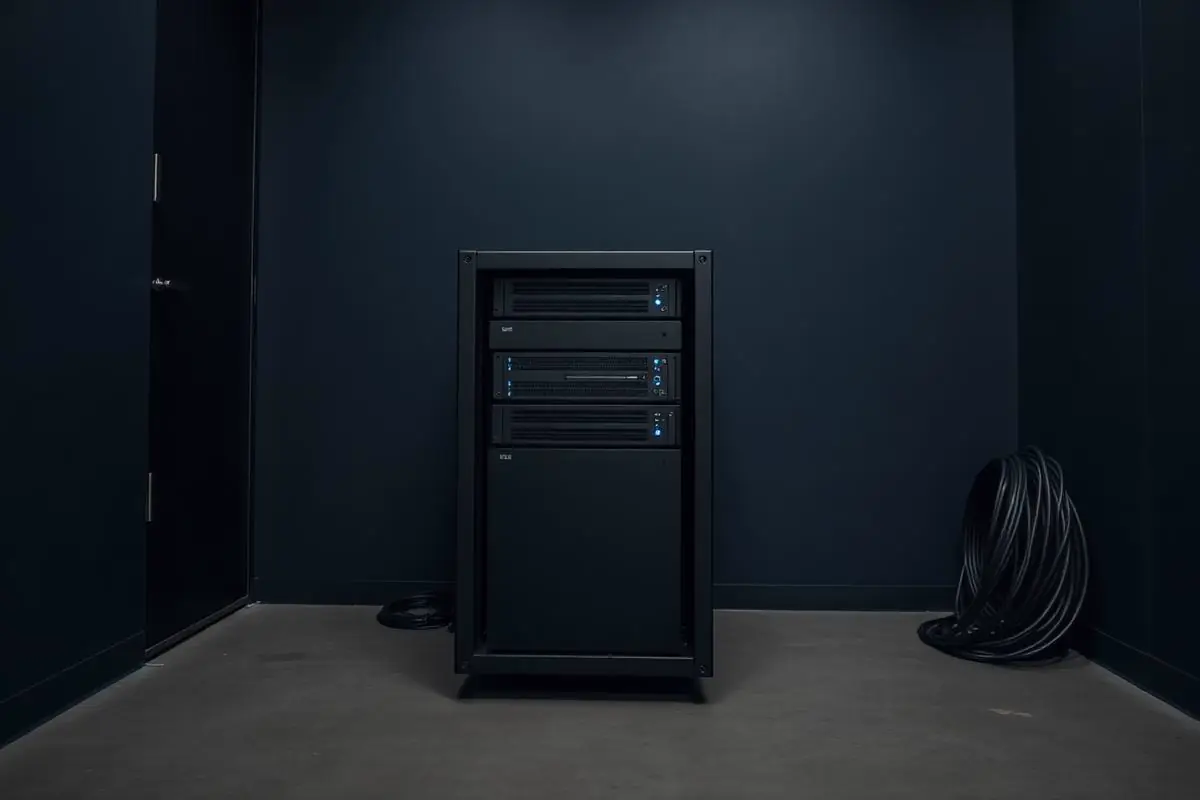
Servers checked before they become urgent
Patching, capacity, and backup posture are reviewed on a schedule — so the systems the business runs on stay boring, in the best way.
Critical Insight
Why Server Management Is Rarely Loud Until It Is
Why This Service Matters
A neglected server is a Tuesday-morning problem. Windows Update was disabled 'because it broke something once,' the RAID controller has been sending predictive-failure alerts nobody reads, the domain controller is running on hardware out of warranty, and the last successful backup was three weekends ago. None of that is visible from a chair in the CEO's office — until the file server won't boot on a Monday and 60 people can't work.
The security case is now inseparable from operations. Servers are the highest-value pivot point in a network: domain controllers hold every credential, file servers hold every business record, hypervisors hold every VM. Server-side vulnerabilities weaponized by ransomware crews (Fortinet, ConnectWise, MOVEit, ScreenConnect, and a long list of Windows/AD issues) routinely move from disclosure to active exploitation inside a week. Patching cadence is the specific control that either matters here or gets somebody in the news.
Finally, lifecycle economics compound in only one direction. A server run five years past its refresh date is not saving money — it is deferring a known future cost while accumulating outage risk, warranty gaps, licensing complexity (Server 2016 ended mainstream support in 2022; extended in 2027), and staff hours spent working around it. Managed lifecycle turns the refresh into a scheduled quarterly conversation instead of a bad-news emergency.
Where This Fits
Server Environments We Manage
Server management applies to organizations still running workloads that require dedicated operating systems, storage, or hypervisors — on-premise or in the cloud.
Professional offices
Firms operating on-premise Windows Server for file, print, or line-of-business applications.
Medical and dental practices
Practices running practice-management or imaging servers locally.
Multi-location businesses
Organizations with headquarters servers supporting branch offices.
Internal IT departments
Teams that want a documented second set of eyes on patching, monitoring, and lifecycle.
Problems → Solutions
Challenges We Eliminate
Unpatched Servers Sitting on the Network
Windows Update disabled 'because it broke something once,' third-party server applications last patched years ago, and no one tracking KEV advisories against the environment.
24/7 Server Monitoring
Agent-based monitoring covering CPU, RAM, disk, temperature, RAID health, service state, event log signals, and application-specific checks (SQL, IIS, Exchange). Alerts triaged by our NOC before users notice.
Aging Hardware Running Production
Server hardware out of warranty, RAID controllers throwing predictive-failure alerts, PSUs and fans making noises they didn't used to make.
Patch Management on a Ring Schedule
OS and third-party patching on a documented ring model (test → early → broad), with expedited handling for KEV advisories and out-of-band vendor releases. Patch success and failure reported monthly.
Undocumented Active Directory
GPOs accumulated over a decade, stale service accounts, forgotten OUs, and nobody willing to change anything because 'we don't know what depends on it.'
Active Directory & Entra Modernization
Documented GPO inventory, stale account cleanup, tiered admin model, Entra Connect health, Conditional Access alignment, and MFA on privileged accounts. AD becomes an asset instead of a liability.
No Capacity Planning
Disks nearing full, RAM at ceiling, CPU spikes at end-of-month — and no headroom conversation until users are complaining about performance.
Hypervisor Management (Hyper-V / VMware)
Cluster health, live migration and DRS/HA validation, host patching in maintenance mode, VM right-sizing, snapshot hygiene (no more 90-day snapshots quietly filling the datastore), and licensing tracking.
Backup Is Not Really Tested
The backup dashboard is green; nobody has attempted a bare-metal restore in the last year; nobody can honestly say what RTO or RPO would actually be under stress.
Server Hardening to CIS Benchmarks
Baseline configuration aligned to CIS Benchmarks for Windows Server and Linux distributions: unused services disabled, secure protocols enforced, logging tuned, admin surface minimized.
No Written Refresh Plan
Hardware gets replaced only when it fails — which is both more expensive and more disruptive than replacing it on a documented lifecycle.
Integrated Backup, Monitoring, and Security
Server management coordinated with our BCDR, EDR, SIEM, and network services — one program, one accountable team, one integrated report to leadership.
Engagement Model
How Server Management Is Onboarded
Server management engagements begin with a documented picture of what is running today and end with a defined operational routine.
Environment assessment
Inventory of server workloads, operating systems, hypervisors, storage, and current patch and backup state.
Documentation build-out
Written record of roles, credentials, dependencies, and vendor contacts for each server in scope.
Hygiene remediation
Closure of the highest-priority patching, monitoring, and backup gaps identified during assessment.
Operational onboarding
Establishment of patch windows, monitoring thresholds, and change-communication routines.
Ongoing operations
Steady-state patching, monitoring, and coordination under the agreed scope.
Lifecycle review
Periodic review of end-of-life dates, workload growth, and refresh or migration planning.
Server Platforms
Server Platforms We Support
Server management applies to supported operating systems and hypervisors on hardware or cloud infrastructure we can access with appropriate access controls.
Windows Server
Currently supported Windows Server versions for file, print, application, and identity workloads.
Active Directory
User, group, GPO, and DNS administration on Active Directory domains.
Hyper-V
Hyper-V virtualization on supported Windows Server hosts.
Cloud-hosted servers
Windows-based servers hosted in Microsoft Azure or comparable supported environments.
Backup coordination
Alignment of server workloads with the backup and recovery plan for the environment.
What's Included
Windows Server 2016 → 2025 Coverage
Full lifecycle support including end-of-support planning for 2012 R2 (already extended) and 2016 (extended support ends 2027).
Active Directory & Entra Connect
Health monitoring, tiered admin, GPO hygiene, hybrid identity, and MFA on privileged accounts.
Hyper-V and VMware vSphere Management
Cluster health, HA/DRS validation, patching in maintenance mode, snapshot hygiene, and license true-ups.
Linux Server Support
Ubuntu, RHEL/Rocky, and Debian for the LOB workloads that require them — patching, hardening, and monitoring alongside Windows.
SQL Server Management
Backup chain validation, index and statistics maintenance, tempdb sizing, patching, and light performance tuning as part of the service.
CIS-Aligned Hardening
Baseline configurations for Windows Server and Linux mapped to CIS Benchmarks. Deviations logged and reviewed quarterly.
Server EDR
SentinelOne or Microsoft Defender for Endpoint on every server, tuned for server workloads (exclusions, rollback, isolation policy).
Patch Rings & KEV Expedite
Test → early → broad patch rings, with expedited windows for known-exploited vulnerabilities. Success/failure reported monthly.
Warranty & Lifecycle Tracking
Every server tracked by age, warranty, and end-of-support date. Refresh candidates surface a full year before they become urgent.
Documented Change Management
Every non-trivial change (GPO, DNS, DHCP, hypervisor config, service account) ticketed, peer-reviewed, and logged with rollback plan.
Outcomes That Matter
Benefits & Results
Fewer Unplanned Outages
Proactive monitoring and disciplined patching catch the failures that used to become Monday-morning emergencies.
Key Advantage
Stronger Security Posture
Hardened baselines, timely patching, and server-side EDR remove the specific attack surface ransomware crews target.
Predictable Refresh Spend
Servers are replaced on schedule tied to warranty and support lifecycle, not on failure — cheaper, calmer, and easier to budget.
Better Performance
Capacity planning, VM right-sizing, and hypervisor optimization mean end-of-month batch jobs stop feeling like end-of-month batch jobs.
Restorable Backups, Not Hopeful Ones
Backup integration and quarterly restore drills mean the backup you need is the backup you can actually use.
Cleaner Audit Story
Patch reports, change logs, access reviews, and hardening evidence are byproducts of normal operations — exactly the artifacts HIPAA, PCI, SOC 2, and cyber-insurance underwriters ask for.
Institutional Memory That Survives Turnover
Documentation in IT Glue/Hudu means the next engineer — yours or ours — picks up the environment cold.
Risks Addressed and Operational Outcomes
What Server Management Is Designed To Change
Server management is designed to remove common sources of fragility from a small but critical footprint.
Risks addressed
- Unpatched operating systems and applications
- Undocumented dependencies and roles
- Backups that have never been verified against the servers they cover
- Alerts routed to inboxes no one monitors
Operational outcomes
- A documented server inventory with roles and owners
- A defined patch and monitoring routine
- Backup alignment with each server's role
- Lifecycle planning ahead of end-of-life events
Who This Service Is For
Whether you're a homeowner, small business, or enterprise — we tailor our approach to your specific needs.
Businesses With On-Prem or Colocated Servers
Companies still running Active Directory, file servers, application servers, or a hypervisor cluster on premises or at Switch/QuadraNet.
Hybrid Environments (Some On-Prem, Some Azure/AWS)
Organizations mid-cloud-journey that need consistent management across on-prem and IaaS workloads — one team, one tooling, one report.
Businesses With SQL Server or Line-of-Business Databases
Firms where a specific database or application server is business-critical and needs disciplined patching, backup, and light DBA-adjacent care.
Regulated Practices (Healthcare, Legal, Financial)
Environments where server hardening, patching, access review, and change control are auditable requirements, not just good hygiene.
Growing Firms Adding Servers or Sites
Businesses adding new servers for growth (or acquiring companies) that need consistent standards from day one.
Companies Preparing for a Server Refresh
Owners weighing a like-for-like replacement quote against Azure/AWS, or against retiring the workload — we bring an honest 6-R evaluation instead of a sales pitch.
Is This the Right Fit
When Server Management Is the Right Starting Point
Server management is often part of a larger IT operating model.
This is a good fit when
You need a documented owner for a small but critical server footprint
Patching, monitoring, backup coordination, and lifecycle planning need a defined routine.
A different service may fit better
Consider Managed IT
If servers are only one part of the environment and the whole stack needs a common operating model.
Managed ITConsider Cloud Solutions
If some or all of the workloads should be evaluated for migration rather than continued as on-premise servers.
Cloud Solutions
Technology & Tools
We leverage industry-leading platforms and enterprise-grade equipment to deliver reliable, future-proof solutions.
Full lifecycle coverage including end-of-support planning and Azure Arc integration for hybrid management.
On-prem AD, Entra Connect, hybrid identity, Conditional Access, and privileged access management.
Failover Cluster Manager, SCVMM where appropriate, VM live migration, and cluster patching in maintenance mode.
vCenter, DRS/HA, vMotion, snapshot management, and license tracking. Migration guidance where Broadcom pricing changes the ROI.
Standard/Enterprise editions — backup verification, maintenance plans, index/statistics tuning, patching, and TDE where in scope.
For LOB workloads that require it — patch management via package manager and automation (Ansible), hardening to CIS Linux benchmarks.
RMM platforms for agent-based monitoring, patching, scripting, and remediation.
Server-tuned EDR with rollback, isolation policy, and integration into managed threat hunting.
Server backup with image-level snapshots, application-aware processing, and off-site/immutable replication.
Service Tiers & Options
Managed Server Services (Subscription)
24/7 monitoring, patching, hardening, backup integration, and quarterly reviews on a per-server monthly subscription. Best for ongoing operational ownership.
Server Assessment & Remediation Project
Fixed-fee engagement: full inventory, health check, remediation of critical issues, and a written lifecycle plan. Great as a first step or when scoping a larger initiative.
Server Migration & Refresh Projects
New hardware install, Windows Server upgrades (in-place or side-by-side), AD migration/consolidation, hypervisor migration (VMware → Hyper-V, on-prem → Azure).
Co-Managed Server Ops
Your internal admin retains ownership; we provide the tooling, NOC, patch cadence, and vCIO layer behind them.
Frequently Asked Questions
Get answers to the most common questions about this service. Can't find what you're looking for? Contact us directly.
Working With Inoconn
How We Build Trust With Business Clients
Business engagements depend on documented process, clear communication, and honest scope. These are the operational habits we bring to every commercial relationship.
Documented processes
Onboarding, change, and support routines are written down and shared with the customer, not carried in one person's head.
Clear communication
Scope, change windows, and escalation paths are agreed with the customer before work begins and revisited on a defined cadence.
Scope discipline
What is in scope, what is out of scope, and how additions are handled are documented up front to avoid quiet drift.
Technical documentation
Environments, credentials, and vendor relationships are documented in structured records the customer can review.
Vendor coordination
We work directly with the customer's line-of-business vendors, carriers, and platforms rather than routing them back through the customer.
Lifecycle planning
Hardware, licensing, and platform end-of-life dates are tracked so refresh conversations happen early rather than under pressure.
Getting Started
Preparing for an Engagement
Practical guidance for leadership evaluating whether this service is the right next step.
Preparing for an assessment
- A list of servers in scope with roles and locations
- Current backup and monitoring arrangements
- Any recent incidents or known hygiene concerns
- Whether any servers are approaching end-of-life on hardware or operating system
Information to gather
- Operating system versions and hypervisor platform, if any
- Line-of-business applications running on each server
- Existing patch and change routines
- Where credentials and documentation are currently stored
Ready for Server Management?
Don't let technology problems slow you down. Contact Inoconn today to discuss your goals and see how our team can deliver the results you need — reliable, expert IT support you can build a business on.
No obligation. Honest, expert IT support.
Buyer Journey
Where This Fits in a Broader IT Program
Business technology decisions rarely stand alone. These are the services most commonly discussed alongside this one and why they show up together.
Managed IT Services
Servers usually live inside a broader managed engagement.
Cloud Solutions
Some workloads should be evaluated for migration.
Backup & Disaster Recovery
Server workloads shape the backup design.
Responsive Technical Support
Server work sits alongside the support channel employees actually use.