
This page fits if you're seeing:
Weak signal or dead zones in parts of the home
Video calls dropping or buffering during streaming
Slow speeds even with a modern ISP plan
Frequent disconnects on phones, laptops, or TVs
Diagnose and tune the Wi-Fi you already have — before spending anything on new hardware.
If video calls drop in the back bedroom, streaming stalls at prime time, or the doorbell camera keeps going offline, the answer usually isn't a bigger internet plan. Inoconn measures what your current Wi-Fi is actually doing across a Las Vegas home and tunes it, room by room.
Wi-Fi optimization is a diagnostic service. The starting assumption is that you already have equipment — an ISP gateway, a router, a mesh, or a small set of access points — and it's not delivering the experience you expected. Our job is to figure out why, in your specific home, and to correct it with the least amount of change possible.
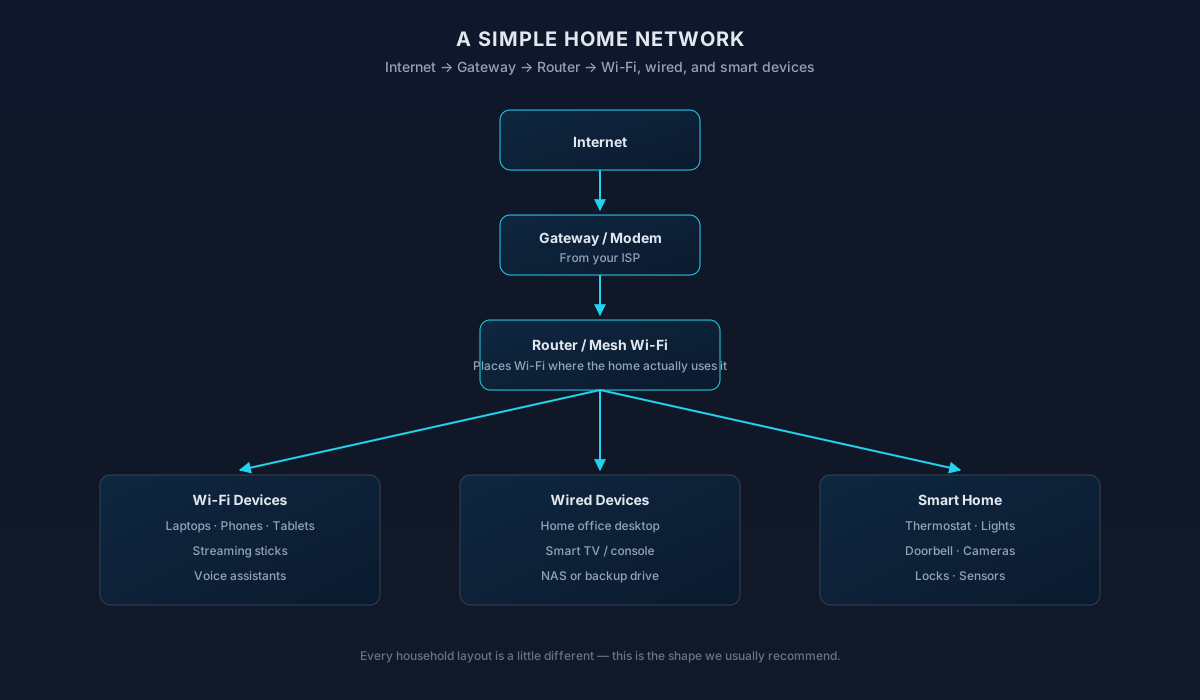
That means separating three very different things people casually call 'slow Wi-Fi'. There's the speed your ISP is actually delivering to the modem, the performance of your wired network between the modem and your router, and the wireless performance between your router and the device in your hand. Any one of the three can be the bottleneck — and only the third one is truly Wi-Fi.
In Las Vegas homes we see the same patterns repeatedly: a router tucked into a media cabinet in the great room, a single mesh node placed by guesswork, dense stucco and block construction that eats 5 GHz signal, and neighborhoods where a dozen networks are all crammed onto the same channel. Each of those has a real fix that doesn't require replacing everything you own.
We're transparent when tuning isn't going to be enough. If the equipment is genuinely undersized for the home or the household, we'll say so — and then help plan a proper replacement rather than layering on more boxes.
Inoconn Commitment
Every service we deliver is backed by our satisfaction guarantee and decades of combined IT expertise.
The setting
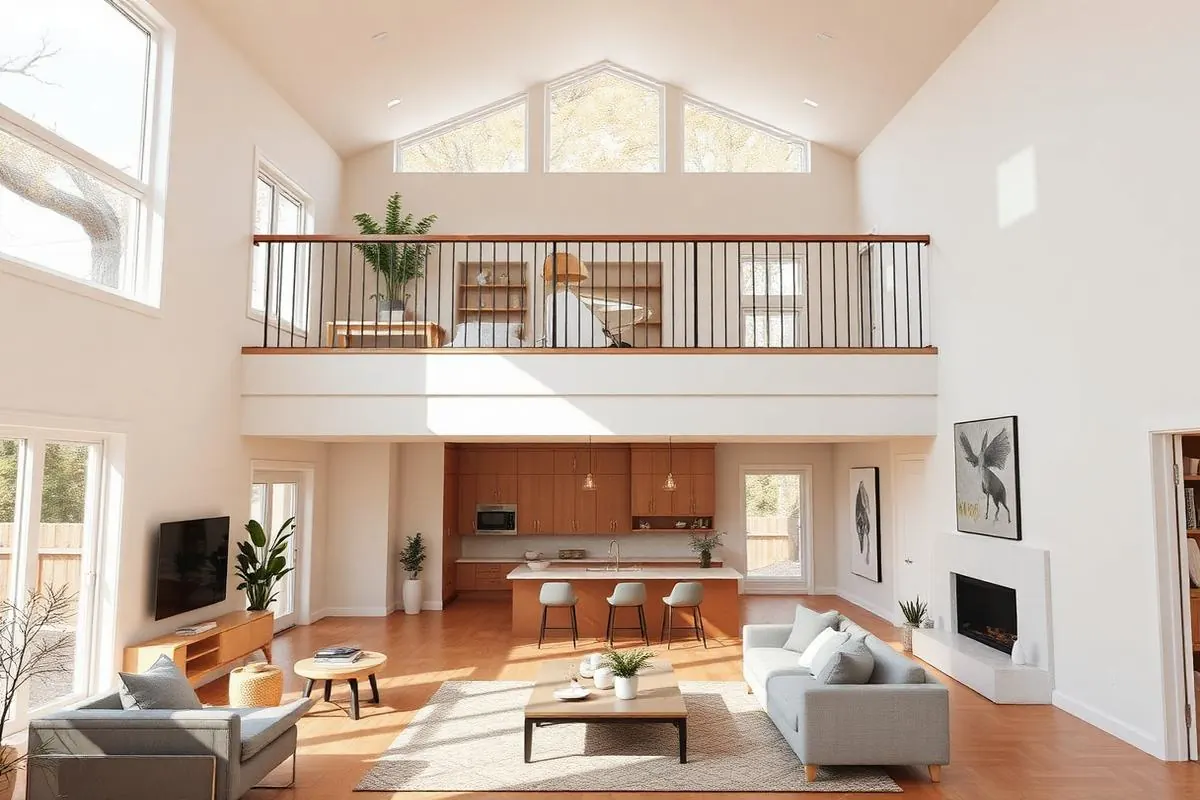
Two floors, thick walls, a backyard, a garage office. Every home has its own shape — and the Wi-Fi plan has to match it.
Critical Insight
Wireless problems feel simple from the outside — the bars are low, buy something with more bars. In practice, plug-in extenders, second routers used as repeaters, and mesh nodes dropped into wall outlets often make things worse: they add another hop on the same crowded channel, halve the effective bandwidth, and confuse devices about where to connect.
Real optimization starts with measurement. Where is the signal actually strong, where does it drop, which channels are congested, is the backhaul between mesh nodes healthy, and which specific devices are struggling? Those answers change what to do — sometimes it's a placement change, sometimes a firmware update, sometimes just a channel width adjustment.
The point is to fix the underlying cause. A tuned network stays tuned; a stacked pile of workarounds needs constant babysitting.
How it looks
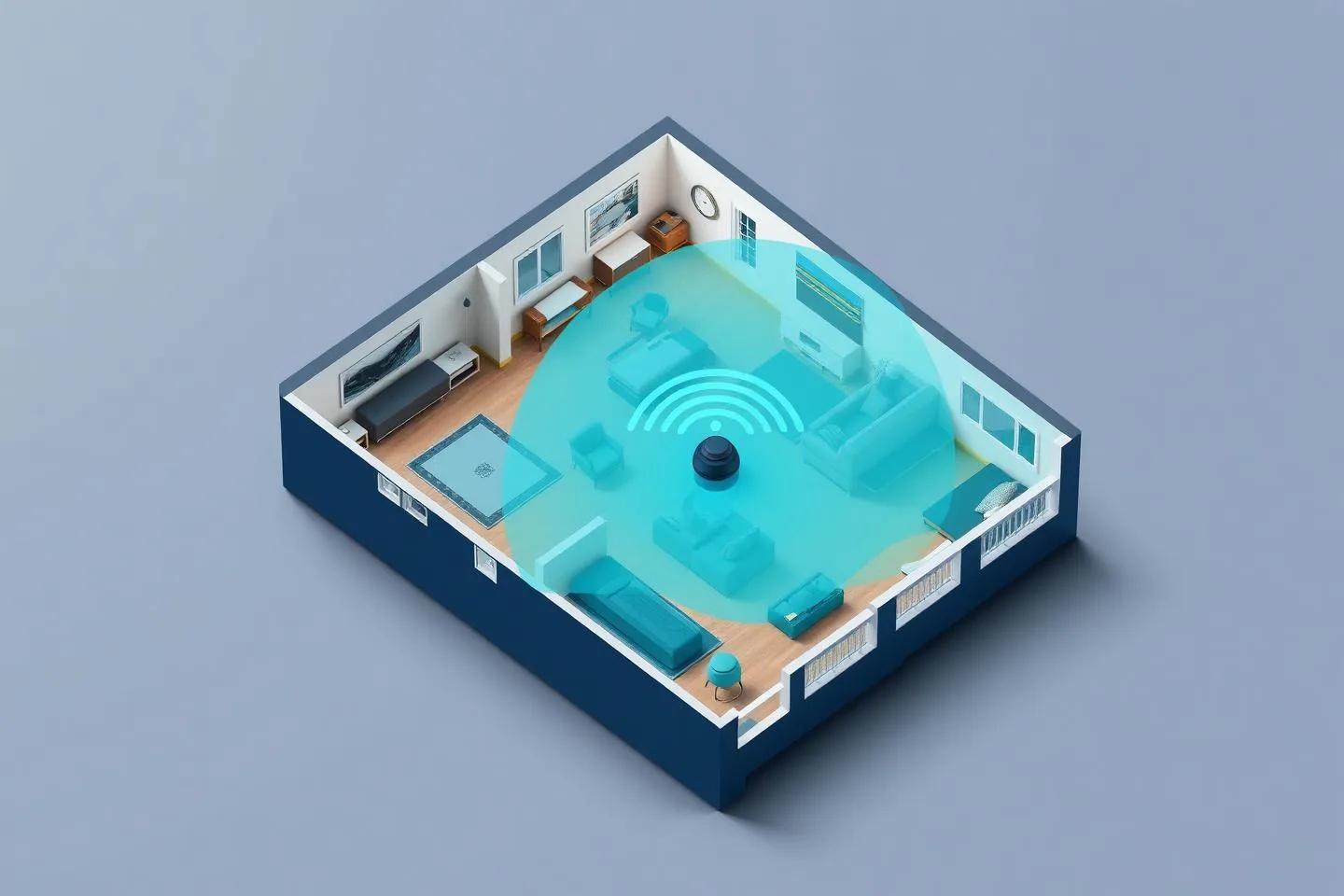
A lot of Wi-Fi problems are solved by moving one node, changing a channel, or splitting a band — before spending anything on new equipment.

Problems → Solutions
The far bedroom, the office over the garage, or the backyard patio is unusable while everywhere else is fine.
We measure wired and wireless performance from multiple rooms, note where signal weakens, and record which channels and neighboring networks are crowding yours.
The speed test at the router looks great, but laptops and phones in the same house see a fraction of it.
Moving a router out of an enclosed cabinet, relocating a mesh node to actually sit between the router and the dead zone, or elevating an access point often reclaims more performance than new hardware would.
Meetings work fine most of the day and then fall apart during a specific window — often when neighbors come home and their networks come to life.
Choosing less congested channels, adjusting channel width for real-world conditions, and steering devices to the right band (2.4 GHz for range, 5 GHz for speed, 6 GHz where clients support it).
The phone stays clinging to the far node even after walking back near the router, so speeds stay low until Wi-Fi is manually toggled off and on.
Confirming whether a mesh is running on a wired backhaul or a wireless one, and whether that wireless backhaul is healthy enough to actually carry the traffic behind it.
A doorbell, outdoor camera, or thermostat keeps showing 'offline' in its app, usually because it sits on the edge of coverage or on a saturated 2.4 GHz channel.
Some issues live on a single laptop's Wi-Fi driver, a camera's firmware, or a smart-TV's tendency to stick to 2.4 GHz. We isolate and address those instead of blaming the whole network.
A gigabit plan is installed, but the ISP-supplied gateway is doing the wireless — and its Wi-Fi radios are the weakest part of the chain.
If the ISP gateway's Wi-Fi radios are the actual bottleneck, or the household outgrew a single-router setup years ago, we say so — and hand off to a proper network install if that's what makes sense.
Sound familiar?
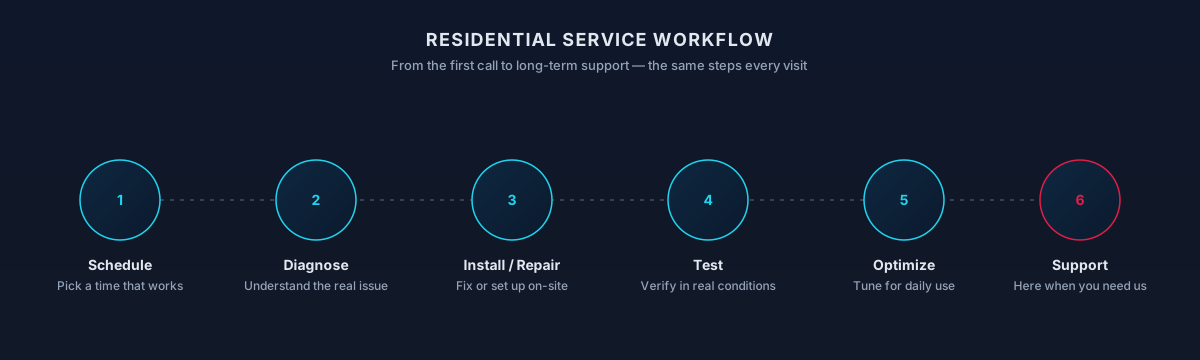
Step by Step
Which rooms, which devices, which times of day, and what specifically breaks — buffering, dropping, or slow to load. This alone points at very different causes.
Wired speed test at the gateway compared against the plan, so we know whether the problem is ever leaving the house at all.
Signal strength, noise, and speed sampled in the rooms that matter — including the ones that already work, for comparison.
Where the equipment actually sits, what surrounds it, and whether the layout makes sense for the floor plan.
Which channels are congested by neighboring networks, and whether your equipment is stuck on one of them.
Placement, channel and width settings, band steering, roaming behavior, firmware updates, and any relevant device-side settings — one adjustment at a time, so we know what actually helped.
The same measurements are taken again after changes, so improvement is visible rather than assumed. If tuning has taken the network as far as it can go, we lay out what a right-sized replacement would look like.
Signal and throughput sampled in the rooms you actually care about, not just next to the router.
Clear separation between what your internet plan delivers, what your wired network does, and what your wireless is doing — so you're not paying to fix the wrong layer.
A look at the wireless neighborhood — how many networks are competing, which channels are congested, and where there's still clean airtime.
Practical relocation of routers and mesh nodes out of cabinets, off the floor, and away from major interference sources.
Adjustments so devices actually move to the closest node and prefer the band that gives them the best experience.
Updates applied where they matter and settings reviewed for the outdated defaults that quietly slow modern networks.
Attention on the specific laptop, phone, camera, or TV that misbehaves more than the others.
A short written summary of what was measured, what changed, and what the retest showed — plus honest notes on any limits that remain.
Process
Real coverage and speed readings, not guesses.
Neighboring networks and channel congestion.
Router or node moves where they meaningfully help.
Bands, channels, and steering adjusted for your home.
Re-measure in the same spots to confirm the change.
Timing varies by household — this is a typical shape, not a promise.
Outcomes That Matter
Rooms that were unusable become workable through placement and configuration, not another purchase.
Key Advantage
Fewer freezes and dropouts once roaming, channel, and placement issues are resolved.
Doorbells, cameras, and thermostats stay connected instead of pinging you every evening.
If it's the ISP, the gateway, the wireless, or one specific device, you know — and can act on the right thing.
When tuning is enough, you keep the equipment you already own. When it isn't, you have a clear picture of what to replace and why.
Expected outcomes
Steadier connection in the rooms that matter.
Not just numbers next to the router.
And why it helped.
The result
Video calls that finish, streams that don't buffer, and smart devices that stay online — in every room the household actually uses.

Whether you're a homeowner, small business, or enterprise — we tailor our approach to your specific needs.
The equipment is in place, the plan is fast enough on paper, and the day-to-day experience still isn't right.
Video calls are fine at the kitchen table and unreliable in the actual office — the goal is to make the office work.
Two-story plans, homes with a converted garage or casita, or lots with a covered patio and backyard that were never in the original router's coverage plan.
Summerlin condos, apartments, and tight-lot subdivisions where neighboring networks are the real source of interference.
Growing numbers of cameras, plugs, and hubs that quietly overload a network never tuned for them.
Recently upgraded to gigabit or multi-gig fiber and disappointed to find wireless devices no faster than before.
We leverage industry-leading platforms and enterprise-grade equipment to deliver reliable, future-proof solutions.
Each band has different reach and speed characteristics. The right one for each device depends on distance, walls, and what that device is doing.
Newer standards help in dense-device homes and when 6 GHz is available — but only if your devices can actually use them, which we check before recommending anything.
Choosing less congested channels and using channel width that suits the environment, rather than the widest option by default.
Configuration that helps devices land on the right band and move between mesh nodes or access points instead of sticking.
Reviewing whether a mesh is using Ethernet between nodes or relying on wireless — and whether that wireless backhaul is healthy.
Router, mesh, and access-point firmware kept current, since many real-world Wi-Fi issues are quietly resolved between firmware releases.
Eero, Orbi, Deco, ASUS, and UniFi residential setups are all in scope. We work with the platform you have rather than insisting on a switch.
The measurements behind the diagnosis — plain-English translation: how strong the signal is, how snappy the connection feels, how steady it is, and how much data actually flows.
Compatibility
Working knowledge, not partnership or certification.
Wi-Fi coverage problems in valley homes are rarely about the router alone. Signal weakens through stucco, tile, and interior masonry; neighboring networks fight for the same channels in denser Henderson and Enterprise communities; and heat-exposed equipment in garages or attics behaves worse in summer than in winter.
Optimization is an on-site process — measuring where signal actually drops, moving or adding equipment, and validating the fix room by room. We don't guarantee full-property coverage sight unseen; we design for the rooms and devices you use.
Not sure if your address is covered? Check the full service areas map or contact us to confirm.
One or two specific rooms or devices behaving badly. Measure, adjust placement and settings, retest, and confirm.
A full walk of the home, an airspace review, and tuning across router and all mesh nodes or access points, with a written before-and-after summary.
Tuning is applied first, and where the current equipment is genuinely undersized, we lay out what a proper replacement or expansion should look like — without pressure to do it the same day.
Straight answers to what homeowners ask most. Not seeing yours? Contact us and we'll walk you through it.
Get in touch and we'll help you sort out the technology at home — from a single frustrating device to your whole network. Talk with a real home technology specialist and get straightforward answers.
Friendly, patient help — no jargon.
Not sure yet?
Wi-Fi problems often have a few different causes. Use this to check.
Weak signal or dead zones in parts of the home
Video calls dropping or buffering during streaming
Slow speeds even with a modern ISP plan
Frequent disconnects on phones, laptops, or TVs
You don't have a home network yet
See Home Network SetupOne specific device is the problem
See Computer RepairThe next steps
A clear, low-pressure path from the first message to the work getting done.
Share a short description of the issue or project. Screenshots and device details help, but aren't required.
A technician looks at what you've described and asks any clarifying questions before recommending an approach.
You'll get a plain-language plan covering what we'd do, whether it's remote or in-home, and what's involved.
Once you're comfortable, we schedule the session. You stay informed at each step and can stop or adjust anytime.
What to expect
'Slow internet' is usually one of two things: the speed coming into the house, or how far and cleanly it travels once it's inside. We measure both so the fix matches the actual bottleneck instead of guessing.
Typical checks include wired vs. wireless speed at the router, signal and interference in the rooms you care about, and how well each device holds its connection. The measurements guide the plan — nothing is changed until we've talked it through.
We don't promise a specific Mbps in every room, and no honest technician can. What we can do is measure where you are today, explain what's realistic for your plan and building, and show the change after tuning.
Sometimes the existing router is fine and only needs placement, channel, or firmware changes. We recommend new hardware when the numbers show it — not by default.
Not sure which one you need?
One designs and installs the network; the other diagnoses and improves the wireless you already have.
Choose this when Wi-Fi already exists but is slow, dropping, or uneven.
Covers
Not this page
Choose this when you're installing, replacing, or redesigning the home network.
Covers
Not this page
Choose this page if: The network exists — you just want it to actually work well.
Choose the other page if: You're building the network from scratch or starting over.
What to try next
If this isn't quite the right service — or you're wondering what usually comes next — these are the services homeowners most often need alongside or after this one.
If your router and modem are older or the wiring is patched together, a full network setup often solves what optimization alone can't.
Explore Home Network SetupBetter Wi-Fi is usually the missing piece for smart-home devices that keep dropping offline or responding slowly.
Explore Smart Home SetupRelated residential services homeowners often pair with this one.
More in Home Networking
You might also need