Inoconn — Smart IT Solutions for Modern Business
Residential Services/Smart Home Setup

Smart Home Setup

Get the smart speakers, plugs, bulbs, thermostats, and doorbells you already own connected to one household, one app, and one voice assistant.

For homeowners in Las Vegas, Henderson, Summerlin, North Las Vegas, Spring Valley, and Enterprise who bought a few smart devices at different times and now have several apps, two ecosystems, and a hallway speaker nobody claims. Inoconn pairs devices to the correct household, names rooms sensibly, sets up voice control, and builds simple routines the whole family can actually use.

Detailed Service Overview

Smart-home devices are sold one box at a time. Each brand has its own app, its own account, and its own opinion about how a household should be organized. A family that has picked up a doorbell, a couple of smart plugs, some color bulbs, a thermostat, and a pair of speakers over two or three years typically ends up with a drawer of QR codes, four apps that all show 'Living Room,' and a spouse who owns the account nobody else can log in to.

Smart Home Setup is Inoconn's service for pulling that mix into a single, understandable household. We inventory what you already own, confirm which ecosystem each device actually supports, choose one primary controller — Amazon Alexa, Google Home, or Apple Home — and get every compatible device paired to the correct household with sensible room names, shared access for family members, and a small number of routines that match the way people actually live in the house.

This is deliberately narrower than Home Network Setup, which owns the routers, mesh, wired backhaul, and coverage design of the underlying Wi-Fi. It is also narrower than Wi-Fi Optimization, which owns coverage testing, channel tuning, and interference in an existing wireless network. Where a smart-home failure turns out to be a coverage or capacity problem on the network side, we say so and point at the correct service instead of pretending a plug or bulb is broken.

It is also not the same as a residential surveillance project. Onboarding a single video doorbell or an existing camera into your preferred app is part of Smart Home Setup. Planning multi-camera coverage for a property, recording strategy, and long-term video retention belong on a dedicated home cameras page and are handled separately.

Inoconn Commitment

Every service we deliver is backed by our satisfaction guarantee and decades of combined IT expertise.

The setting

Smart home, quiet home

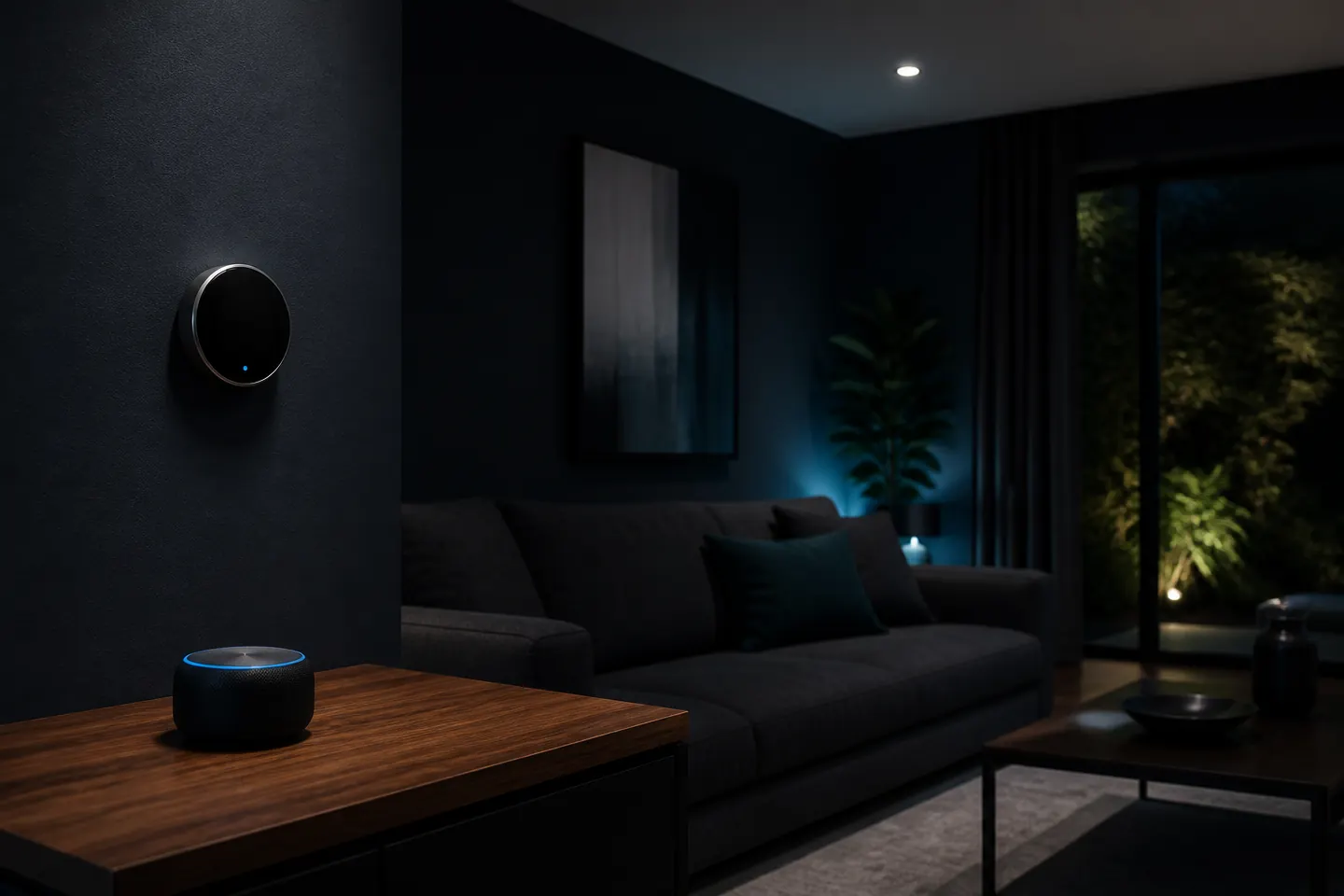
A well-set-up smart home should mostly disappear — you notice how the lights, thermostat, and speakers behave, not the tech behind them.

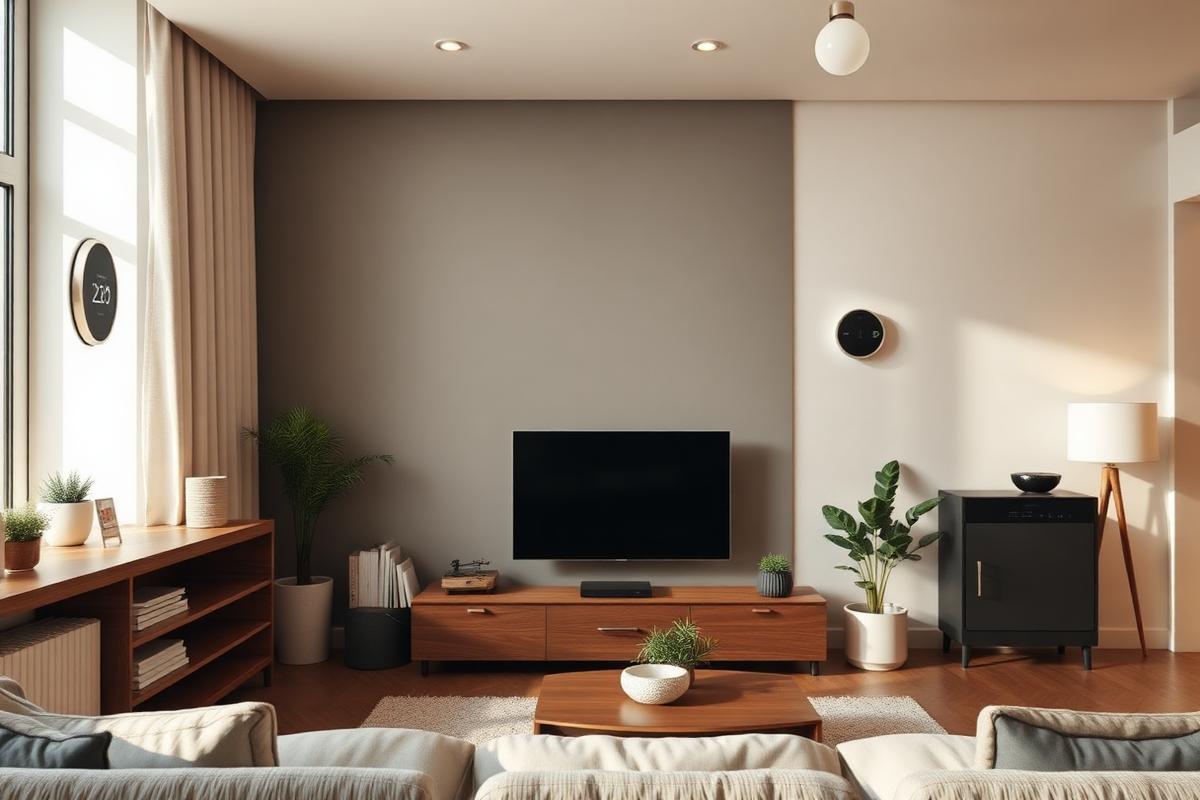
Modern living room with subtle smart home features including a smart speaker, thermostat, and connected lighting

Critical Insight

Why a mixed-brand smart home needs a deliberate setup

Increased vulnerability
Higher costs over time
Reduced productivity

Why This Service Matters

A single smart device is easy. Ten devices from four brands, added at different times by different family members, becomes a management problem. When 'Living Room' means one thing in the Alexa app and something else in the Hue app, voice commands get inconsistent, routines misfire, and the household loses trust in the whole idea of smart controls. That is almost always an organization problem, not a hardware problem.

Ecosystem choice also matters more than most homeowners are told at the store. A doorbell that supports one voice assistant may only offer basic on-off control in another. A thermostat may expose full scheduling to its own app but only a temperature slider to a general hub. Picking one primary ecosystem, confirming which devices genuinely fit inside it, and being honest about what a bridge or Matter integration can and cannot do is the difference between a smart home that helps and one that adds friction.

Household sharing is the piece homeowners most often skip. If devices are bound to one adult's personal account, a spouse cannot control lights on their own phone, kids cannot use a bedroom light on their own voice profile, and a guest cannot turn the porch on when they arrive. Setting up a proper household with named members, voice profiles where the platform supports them, and appropriate guest access is what turns a collection of devices into a shared home system.

How it looks

Setup that fits the house you already have

Hub, lighting, thermostat, and voice assistants are configured as one system — not a stack of separate apps you have to remember which is which.

Home technician configuring a smart hub in a living room while the homeowner watches from the couch

Problems → Solutions

Challenges We Eliminate

Devices Bought Over Time, Spread Across Several Apps

The doorbell is in one app, the plugs in another, the bulbs in a third, and the thermostat in a fourth. Nothing talks to anything, and simple things like 'turn everything off downstairs' require opening three apps.

Ecosystem Choice and Household Setup

We pick one primary controller — Alexa, Google Home, or Apple Home — that matches the devices you already own and the phones your family carries, then create a proper household with the right members and permissions.

Alexa or Google Only Controls Half the Devices

Some devices respond to voice, others do not. Usually because they were never linked to the voice assistant, were linked under a different account, or belong to an ecosystem the assistant only partially supports.

Device Inventory and Compatibility Review

We list every smart device in the house, confirm which apps and ecosystems it actually supports, and flag anything that will only work in a limited way or should be replaced when it eventually fails.

Devices Keep Going Offline

A smart plug or bulb shows as unresponsive in the app, comes back for a while, then drops again. Often a 2.4 GHz coverage or capacity issue on the router side, not a broken device — but worth diagnosing before replacing anything.

Correct Pairing and Room Naming

Every compatible device is paired to the primary household with a consistent room name, so voice commands, app views, and routines all agree on what 'Kitchen' or 'Bedroom' means.

Household Sharing Never Set Up

One person's phone controls everything and everyone else has to ask. Voice assistants do not recognize other family members, and there is no clean way to give a teenager control over their own room.

Simple, Reliable Routines

We build a small number of routines the family will actually use — morning, bedtime, away, movie — instead of a long list of automations that misfire and get disabled.

New Phone or Router Broke the Whole Setup

After a phone upgrade or router replacement, devices stopped responding, apps had to be reinstalled, and nobody remembers which account each device is bound to.

Wi-Fi and Bluetooth Onboarding

We make sure smart devices join the correct band (usually 2.4 GHz), enable Bluetooth where a device needs it for setup, and identify coverage or interference issues that should be referred to Wi-Fi Optimization.

Homeowners frustrated by juggling multiple disconnected smart home apps on their phones
One app per device is how most smart homes start — and why most of them stop feeling smart.

Step by Step

Our Process

1

Walkthrough and Inventory

We walk the house with you, note every smart device room by room, and record which app and account each one is currently bound to.

2

Ecosystem Decision

Based on your devices, your phones, and how the family already talks to voice assistants, we recommend one primary controller and explain what each device will and will not be able to do inside it.

3

Pairing and Naming

We pair or re-pair each compatible device to the primary household, apply consistent room and device names, and remove duplicate or stale entries from old apps.

4

Sharing and Voice Profiles

We add household members, set up voice profiles where supported, and check that a spouse or teen can control appropriate rooms from their own phone or voice.

5

Routines and Handoff

We build a short list of routines you asked for, walk everyone in the house through voice control and the primary app, and leave a simple written summary of what is where.

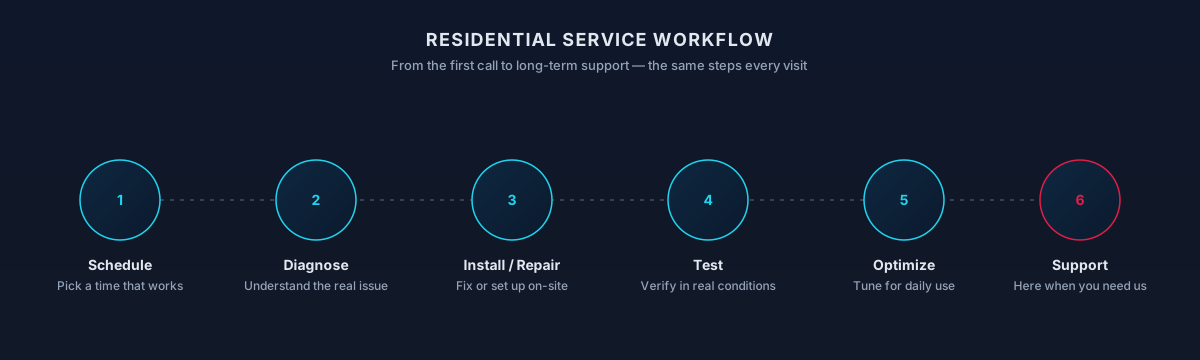
Residential service workflow — schedule, diagnose, install or repair, test, optimize, and support
The same six steps every visit — from the first call through the follow-up support.
What You Get

What's Included

01

Smart Speakers and Displays

Onboarding Echo, Google Nest, and HomePod devices into the correct household, including multi-room grouping where the ecosystem supports it.

02

Smart Plugs and Bulbs

Pairing plugs and bulbs to Wi-Fi or a hub, grouping them by room, and adding them to voice control and routines.

03

Thermostat App and Account Setup

Configuring the manufacturer app and account, sharing access with other adults in the house, and linking the thermostat into your voice assistant for basic control.

04

Video Doorbell App Setup

Getting a single doorbell paired, notifications tuned so they are useful rather than constant, and shared with the right family members.

05

Smart Lock App Setup

Onboarding an already-installed smart lock into its manufacturer app and — where supported — the primary voice ecosystem, without performing any physical lock work.

06

Hubs, Bridges, and Matter

Setting up Hue bridges, SmartThings hubs, and Matter or Thread border routers where they are needed to make devices behave predictably across brands.

Process

How the visit typically goes

  1. Plan

    Which rooms, which ecosystem, which devices.

  2. Prep the network

    Confirm coverage on the bands smart gear needs.

  3. Install + pair

    Physical install and app pairing done cleanly.

  4. Organize

    Rooms, groups, and names that make sense.

  5. Teach the household

    How to add, share, and remove devices later.

Timing varies by household — this is a typical shape, not a promise.

Scope

What a visit may include

Included

  • Ecosystem decision — Alexa, Google Home, Apple Home, or SmartThings — chosen for your household.
  • Network readiness — Wi-Fi coverage where the devices live.
  • Device onboarding — Bulbs, plugs, cameras, thermostats added to the right app.
  • Rooms + routines — Organized so voice commands and automations make sense.
  • Household sharing — Other family members added correctly.

Outcomes That Matter

Benefits & Results

One App and One Voice Assistant for Most Things

Family members open the same app and use the same voice commands, instead of remembering which brand controls which corner of the house.

Key Advantage

Devices That Stay Paired After a Phone Change

Households are tied to the ecosystem, not to a single phone, so the next phone upgrade does not force a full reset.

Realistic Routines That Get Used

A few clear morning, bedtime, and away routines that survive first contact with the family, instead of long automations nobody trusts.

Honest Boundaries

You know which devices work fully, which ones are limited by their ecosystem, and which household changes will require attention next.

The result

One tap, or one voice command

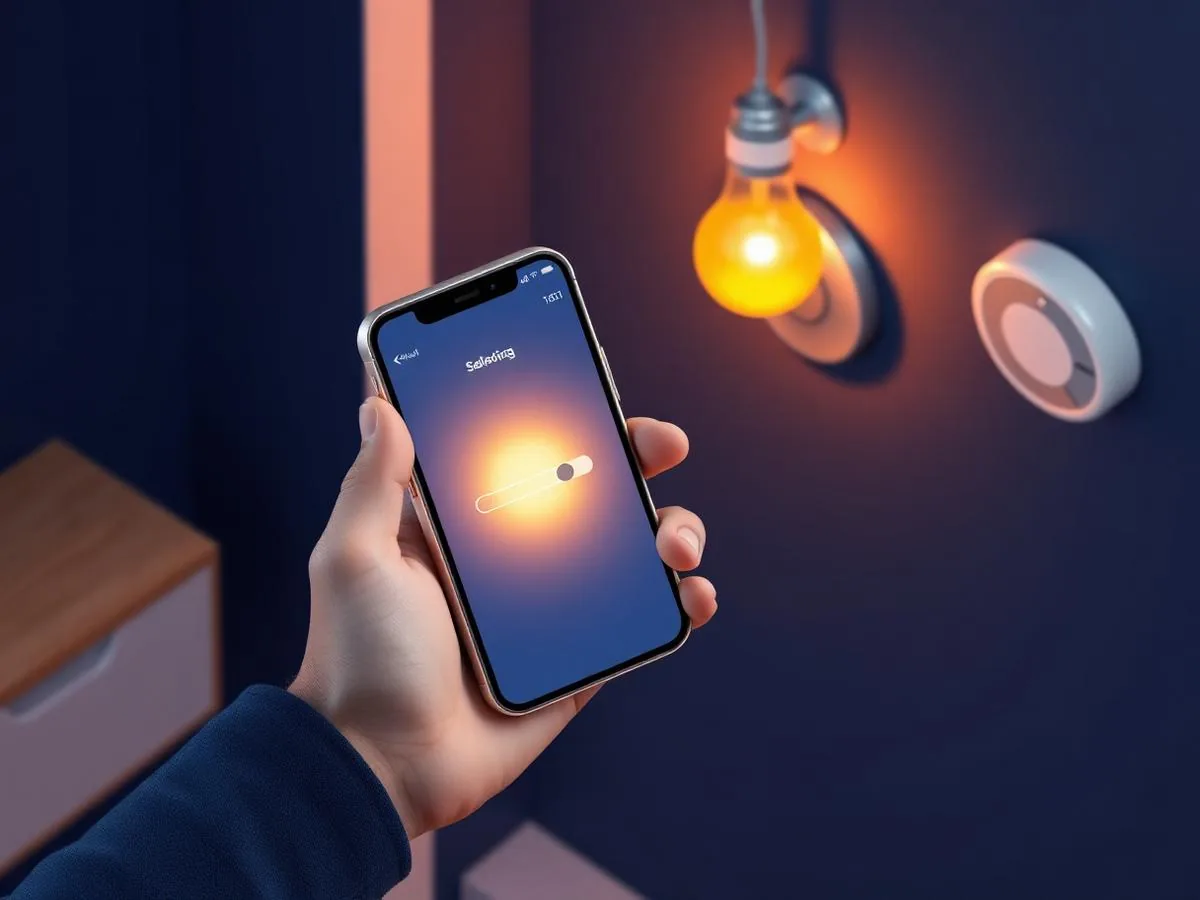
Devices that actually work together — controlled from one place, understood by every adult in the house.

Smartphone controlling smart lighting and thermostat devices connected through a home hub
Who It's For

Who This Service Is For

Whether you're a homeowner, small business, or enterprise — we tailor our approach to your specific needs.

Households with a Drawer Full of Smart Devices

You have collected plugs, bulbs, speakers, and a doorbell over time and want them consolidated instead of scattered across apps.

Families Where Only One Person Can Control Anything

Everything is on one adult's phone and everyone else has to ask. You want proper household sharing so a spouse or teen can control their own space.

Multi-Generational Homes

Grandparents, parents, and kids share the house and need controls that are predictable, well labeled, and forgiving of different comfort levels with technology.

Homeowners Moving Between Ecosystems

You started in one ecosystem and want to move to another, or your new phones no longer match the platform your devices were originally bound to.

Vacation and Snowbird Households

Second-home and seasonal owners in the Las Vegas area who want simple away routines and remote status without turning the house into a monitored facility.

Technology & Tools

We leverage industry-leading platforms and enterprise-grade equipment to deliver reliable, future-proof solutions.

Amazon Alexa
Google Home
Apple Home and Siri
Matter and Thread
Zigbee and Z-Wave Hubs
Wi-Fi 2.4 GHz and 5 GHz

Compatibility

Platforms and standards we work with

  • Amazon Alexa
  • Google Home
  • Apple Home
  • Matter
  • Thread
  • Zigbee
  • SmartThings

Working knowledge, not partnership or certification.

Coordinated smart home devices — hub, lighting and thermostat — in a residential living room
A shared hub tying lighting, thermostat, and speakers into a single, predictable system.
Local Availability

In-Home Service Across the Las Vegas Valley

Smart home setups depend on Wi-Fi coverage, hub placement, and where devices physically live in the home. Larger single-family homes in Summerlin or Enterprise often need attention to router placement before speakers, cameras, and outdoor devices behave reliably. Condos and apartments have a different set of constraints — signal is usually fine, but neighboring networks and building rules can affect installs.

We handle configuration, network placement, and platform compatibility (Alexa, Google Home, Apple Home, Matter/Thread where supported). We do not perform electrical, HVAC, locksmith, or structural work; installation is limited to what plugs in, mounts to existing hardware, or connects wirelessly.

Local Conditions Worth Knowing

  • Outdoor cameras and doorbells depend on signal reach from the router to the exterior wall.
  • Voice assistants perform best when placed away from TVs and kitchen noise.
  • Platform choice (Alexa vs. Google vs. Apple) affects which devices will play well together long-term.
Options

Service Tiers & Options

1

New Device Onboarding

You bought new smart devices and want them paired correctly the first time, in the right household, with room names and sharing already in place.

Includes consultation & support
Most Popular
2

Cleanup and Consolidation

You already own a mix of devices and want them consolidated into a single ecosystem where possible, with duplicate entries removed and shared access sorted out.

Includes consultation & support
3

Troubleshooting Session

A specific ecosystem is misbehaving — devices dropping, voice commands failing, routines not firing — and you want it diagnosed and repaired without a full redesign.

Includes consultation & support
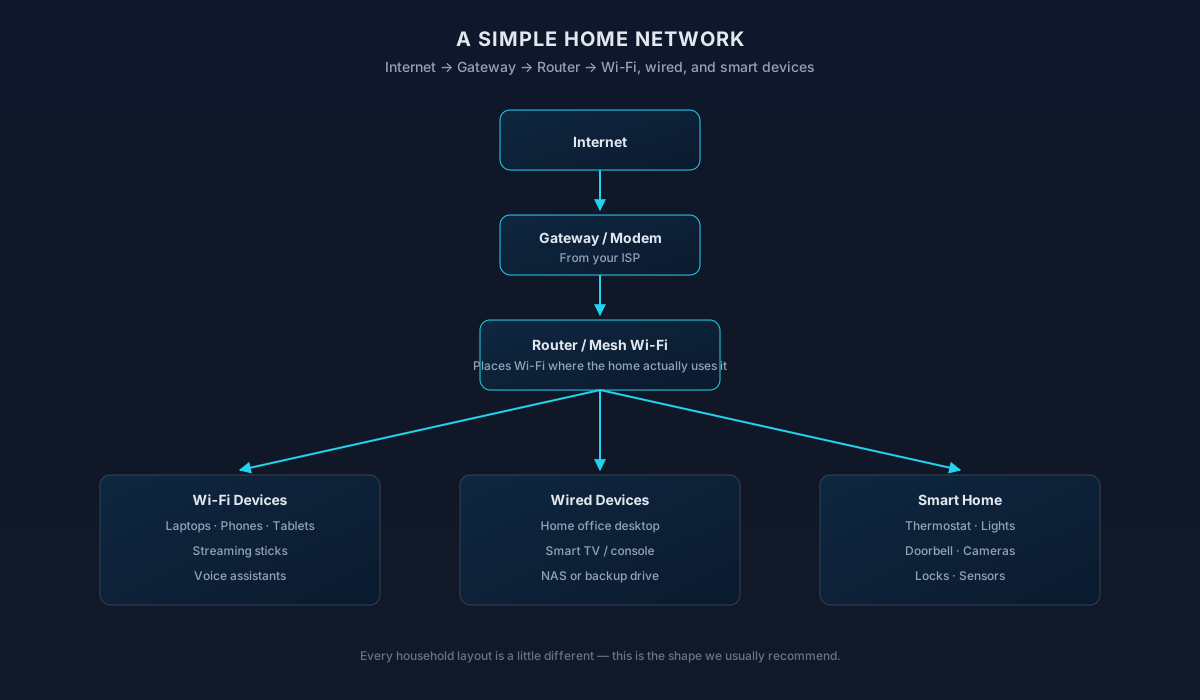
Simple home network diagram: internet, gateway, router or mesh Wi-Fi, and the Wi-Fi, wired, and smart home devices it serves
How a typical home network is put together — a shared reference we use during every setup.

Frequently Asked Questions

Straight answers to what homeowners ask most. Not seeing yours? Contact us and we'll walk you through it.

Ecosystems & compatibility

Ownership, access & reliability

Home Technology Help

Need help with Smart Home Setup?

Get in touch and we'll help you sort out the technology at home — from a single frustrating device to your whole network. Talk with a real home technology specialist and get straightforward answers.

Friendly, patient help — no jargon.

Before you reach out

Handy things to gather first

Optional, but they help us plan a system that actually works together.

  • A rough list of the devices you already own or plan to add
  • Your preferred voice assistant, if any (Alexa, Google, HomeKit)
  • Your Wi-Fi network name and where the router sits
  • Any rooms or scenarios you especially want automated

The next steps

What to expect when you reach out

A clear, low-pressure path from the first message to the work getting done.

  1. Tell us what's happening

    Share a short description of the issue or project. Screenshots and device details help, but aren't required.

  2. We review your setup

    A technician looks at what you've described and asks any clarifying questions before recommending an approach.

  3. Agree on next steps

    You'll get a plain-language plan covering what we'd do, whether it's remote or in-home, and what's involved.

  4. The work begins

    Once you're comfortable, we schedule the session. You stay informed at each step and can stop or adjust anytime.

What to expect

How we work in your home

Picking one ecosystem on purpose

Smart-home gear is much more reliable when one ecosystem is the 'brain' — Apple Home, Google Home, Amazon Alexa, or a hub like SmartThings / Home Assistant. We help you commit to one so devices actually work together instead of fighting each other.

Account and household ownership

Smart-home accounts and 'household' invites should be owned by someone who lives there permanently. That keeps guests, contractors, and former housemates from ending up on the wrong side of a lock or camera later.

Where a licensed trade takes over

Smart locks and thermostats swap for their existing counterparts. New electrical circuits, HVAC control wiring, structural door changes, and low-voltage rough-in work belong with a licensed electrician, HVAC contractor, locksmith, or low-voltage installer — not with us.

Cloud services and manufacturer outages

Almost every smart device leans on a manufacturer cloud. When their service is down, voice control and remote access can fail even though nothing is wrong at your house. We design toward local control where the product supports it, so a cloud hiccup doesn't leave you in the dark.

Home cameras: what they can and can't do

Home cameras help you check on packages, pets, and doors. They aren't a substitute for a monitored alarm system, and they don't dispatch police. We'll set them up honestly for what they're good at.

Not sure which one you need?

Compare related residential services

Smart Home Setup vs Home Network Setup

Smart devices need a healthy network underneath. These pages own different halves of that stack.

This page

Smart Home Setup

Choose this when you're adding, integrating, or troubleshooting connected-home devices.

Covers

  • Alexa, Google, and Apple Home onboarding
  • Smart plugs, bulbs, thermostats, and speakers
  • Rooms, routines, and household sharing
  • Ecosystem choice and clean naming

Not this page

  • Whole-home Wi-Fi design or router installs
  • Multi-camera surveillance planning
Related page

Home Network Setup

Choose this when the underlying network needs to be built or rebuilt to support smart devices.

Covers

  • Router and mesh selection and install
  • Separate network for IoT and guest devices
  • Coverage across the areas smart devices live
  • Stable foundation before you add more devices

Not this page

  • Onboarding individual smart devices
  • Voice assistant routines and automations
Visit Home Network Setup

Choose this page if: The devices are the project.

Choose the other page if: The network needs to be right before more devices go on it.

What to try next

Recommended next services

If this isn't quite the right service — or you're wondering what usually comes next — these are the services homeowners most often need alongside or after this one.

Often Together

Home Network Setup

Smart-home devices need a network built for dozens of connections — a proper home network setup makes everything more reliable.

Explore Home Network Setup
Next Step

Wi-Fi Optimization

If cameras, doorbells, or speakers keep dropping offline, Wi-Fi optimization is usually what brings them back to consistent performance.

Explore Wi-Fi Optimization
Related Service

Home IT Support

Ongoing support keeps hubs, apps, and automations working as devices update and household routines change.

Explore Home IT Support

Related residential services homeowners often pair with this one.