
Data Backup & Disaster Recovery
Backup You Have Actually Restored From
A backup you have never tested is a hope, not a plan. Inoconn designs and operates real business continuity programs for Las Vegas organizations — image-level backup, immutable off-site replication, Microsoft 365 protection, and quarterly documented restore drills against written RTO and RPO targets.
Detailed Service Overview
Backup and disaster recovery is one topic where the marketing language is decades ahead of the actual practice. Nearly every business we assess reports 'we have backups,' and roughly half of them have not successfully performed a full restore in the last twelve months. The difference between those two statements is where ransomware becomes an existential event instead of a bad week.
It also helps to be precise about terms that vendors deliberately blur. Backup is the copy of data. Disaster Recovery (DR) is the ability to bring workloads back up on alternate infrastructure inside a defined time window. Business Continuity (BC) is the broader plan — including people, process, communications, and vendors — that keeps the business operating while IT is being recovered. All three are related, and none of them replaces the others. Inoconn designs and operates all three, coordinated as a single program.
Two numbers govern everything: RTO (Recovery Time Objective — how long you can be down before it materially hurts the business) and RPO (Recovery Point Objective — how much data you can afford to lose, measured in time). Every workload in your environment has different RTO/RPO requirements. A payroll database might tolerate a 24-hour RTO and a 4-hour RPO; a clinical EHR at a Henderson medical practice might need a 1-hour RTO and a 15-minute RPO. Design starts from those numbers, not from a hardware SKU.
This service is designed for organizations at three inflection points. First, a cyber-insurance renewal that now explicitly asks about immutable backups, tested restores, and a written incident response plan. Second, a compliance obligation — HIPAA Security Rule contingency planning, PCI DSS 12.10, SOC 2 CC7.5 — where the auditor wants evidence, not verbal assurance. Third, a growing dependence on Microsoft 365 that most owners are surprised to learn Microsoft does not back up in the sense a business would expect.
Our operational model layers four things: local image-based backup for fast restore of servers and VMs (Datto SIRIS, Veeam, or Acronis), immutable off-site replication to segregated cloud storage that ransomware cannot delete or encrypt, dedicated Microsoft 365 backup (mailboxes, OneDrive, SharePoint, Teams) with point-in-time restore, and a written DR runbook the on-call engineer actually reads at 2 a.m. Every layer is monitored, and every layer is tested.
Inoconn Commitment
Every service we deliver is backed by our satisfaction guarantee and decades of combined IT expertise.
How it looks
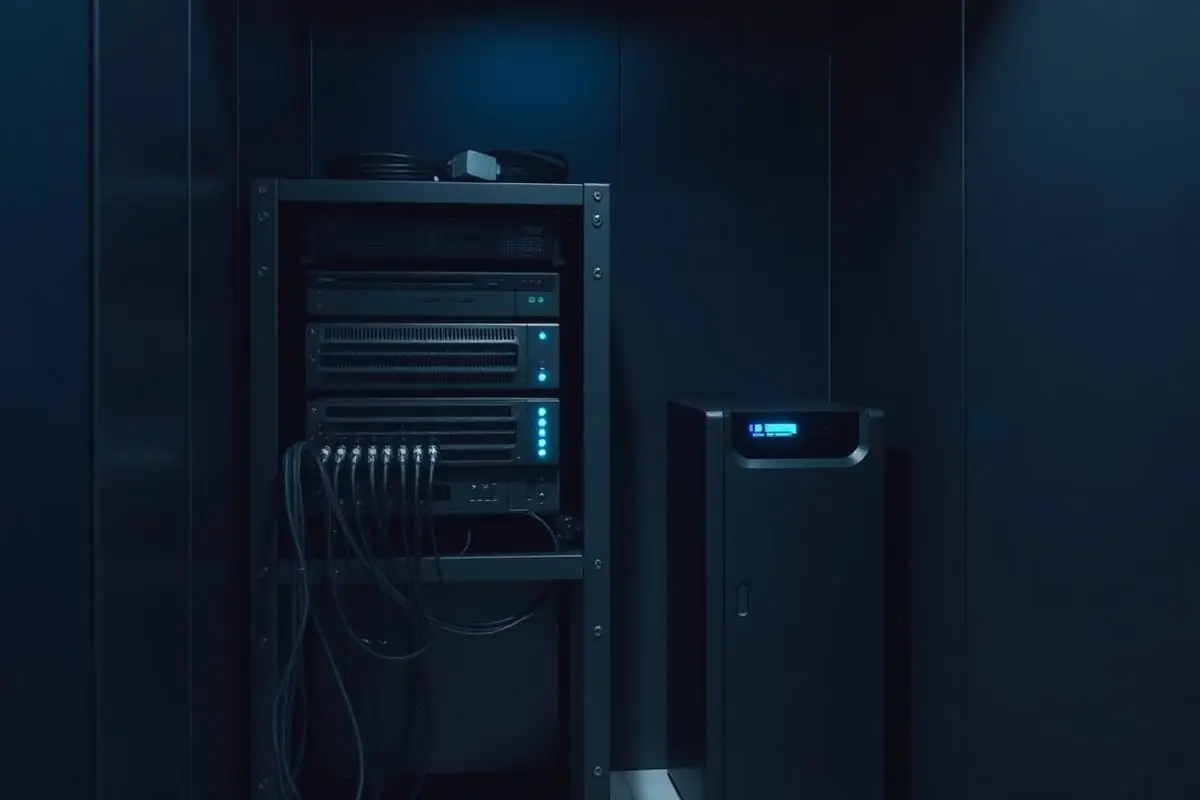
Backups you can actually restore from
Local and off-site copies are verified regularly, because a backup that has never been tested is only a hope.
Critical Insight
Why 'We Have Backups' Isn't Enough
Why This Service Matters
Modern ransomware crews specifically target backups. Their playbook is to sit in the environment for days or weeks, enumerate the backup infrastructure, delete or encrypt the backup repository, and only then trigger the payload on production. If your only defense is a NAS at the same site running the same credentials as production, the backup is functionally not there when you need it. Immutability — write-once, delete-locked, credential-isolated — is the specific control that breaks that playbook.
Microsoft 365 is the most common blind spot. Microsoft's shared-responsibility model is explicit: they protect the service, you protect your data. Their native retention is not a backup — deleted mailboxes, purged OneDrive files, and destructive Teams changes fall out of scope faster than most owners expect. A dedicated M365 backup product (Datto SaaS Protection, Veeam for M365, Barracuda) is now a baseline control, not a luxury.
The economic case is settled. IBM's most recent Cost of a Data Breach report puts the average material incident at $2.98M for SMBs. The single biggest factor in reducing that number is how quickly and cleanly the business can restore — which is a function of backup design and rehearsal, not luck. A quarterly restore test is one of the highest-ROI hours you will spend all year.
Where the data lives
The records that a business runs on
Patient files, financial records, contracts, and job histories don't tolerate a rebuild-from-scratch outcome — recovery, not just backup, is what makes those records safe.

Where This Fits
Environments Where Backup and Recovery Planning Matters
Backup and recovery scope depends on the systems the business cannot afford to lose and the recovery expectations of leadership.
Professional offices
Firms with file-server, cloud-file, and email data that must survive user error and hardware failure.
Medical and dental practices
Practices with clinical records and imaging that require verifiable retention.
Legal offices
Firms with long-term document retention and matter-file responsibilities.
Accounting and financial offices
Environments handling year-end records that must be recoverable across seasons.
Nonprofits
Organizations that depend on donor and grant data continuity.
Multi-location businesses
Companies where a site outage cannot stop the rest of the organization.
Problems → Solutions
Challenges We Eliminate
Backups Have Never Actually Been Restored
The dashboard is green, tapes/drives are rotating, and no one has attempted a real recovery. The first time you test a backup should not be during an outage.
Image-Level Local Backup With Instant Virtualization
Datto SIRIS, Veeam, or Acronis appliance on-prem — image-based snapshots at RPO intervals as tight as 5 minutes, with the ability to boot a failed VM directly off the backup appliance in minutes while permanent recovery proceeds in the background.
No Written RTO or RPO
Nobody has asked leadership 'how long can we afford to be down?' or 'how much data can we lose?' — so the current design is aimed at nothing in particular.
Immutable Off-Site Replication
Replication to a segregated cloud tier (Datto Cloud, Wasabi, AWS S3 Object Lock, Azure Immutable Blob) with credential isolation and delete-locked retention. Ransomware cannot delete what it cannot authenticate against or overwrite.
Backups Live Next to Production
The only copy is on a NAS in the same server closet, sharing credentials with production. A ransomware operator or a physical event takes them both.
Microsoft 365 Backup (Mail, OneDrive, SharePoint, Teams)
Dedicated M365 backup with point-in-time restore of individual items, folders, or whole mailboxes/sites. Retention that matches your actual records-management policy, not Microsoft's defaults.
Microsoft 365 Data Is Unprotected
No dedicated backup of mailboxes, OneDrive, SharePoint, or Teams. A malicious deletion, a departing employee, or a retention misfire silently loses data that Microsoft will not recover.
Written RTO / RPO by Workload
Every workload — file server, EHR, ERP, database, mailbox, SaaS app — has a documented RTO and RPO agreed with leadership. The backup design is built to those numbers, not to a stock SKU.
No Written DR Runbook
If a ransomware event hits tonight, the recovery sequence lives in one engineer's head. Nobody else can execute if that person is unreachable.
Quarterly Documented Restore Testing
Every quarter we execute real restore tests — file-level, VM-level, mailbox-level, and full-site failover on rotation — and produce evidence with timestamps, screenshots, and RTO/RPO measurements. That evidence is what compliance auditors and cyber-insurance underwriters now expect.
Compliance Requires Evidence You Don't Have
HIPAA, PCI, SOC 2, and cyber-insurance underwriters increasingly ask for documented contingency plans and restore-test evidence. Verbal assurance no longer clears the bar.
Written DR Runbook and Communication Plan
A documented recovery playbook covering order of operations, dependencies, vendor contacts, communication templates, and decision authority — so at 2 a.m. the on-call engineer executes a plan instead of improvising.
Engagement Model
How a Backup and Recovery Engagement Runs
Backup engagements begin with what the business cannot afford to lose and what leadership expects from recovery.
Recovery-objective review
Discussion with leadership on which systems are critical and what recovery expectations look like.
Environment assessment
Inventory of servers, Microsoft 365 data, endpoint data, and any existing backup mechanisms in place.
Backup design
Written plan covering platform, retention, offsite copy, and recovery approach for each in-scope system.
Implementation
Deployment of backup infrastructure, initial seeding, and validation of first successful jobs.
Recovery testing
Structured test restores to confirm the plan works as designed, with results documented for leadership.
Ongoing monitoring and review
Alerting on failed jobs and periodic re-review as systems and data change.
The real work
Backups verified, not just scheduled
A backup that has never been restored is only a hope — periodic recovery tests and off-site rotation are the difference between recorded backups and actual recoverable data.

Backup Platforms
Backup and Recovery Platforms
Backup engagements are built on business-grade platforms selected during assessment. Backup design is paired with a documented recovery expectation.
Image-based server backup
Full-system protection for on-premise and cloud-hosted servers.
File and endpoint backup
Protection for user data on managed devices where the organization requires it.
Microsoft 365 backup
Third-party backup of mail, OneDrive, SharePoint, and Teams content in supported tenants.
Offsite retention
Copies stored outside the primary site so a local incident does not destroy every copy.
Recovery testing
Structured verification that critical systems can be restored on the expected timeline.
Where copies live
Local, off-site, and immutable
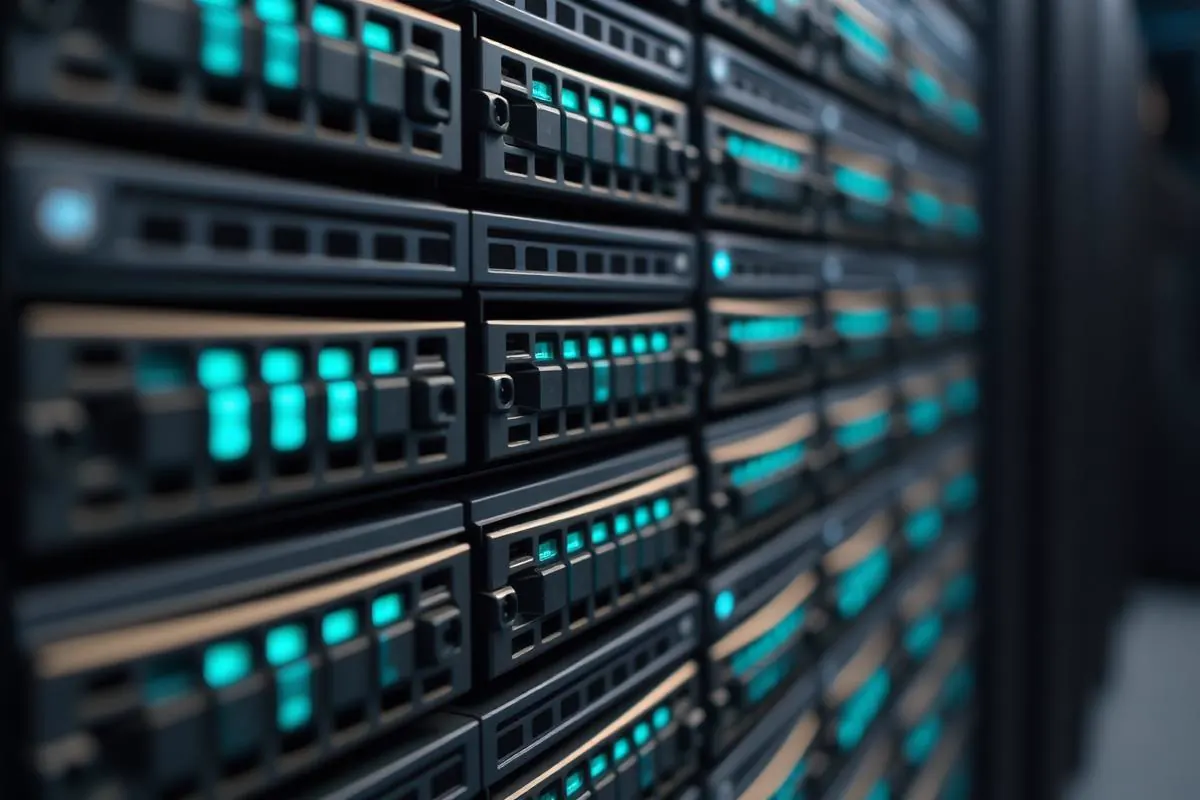
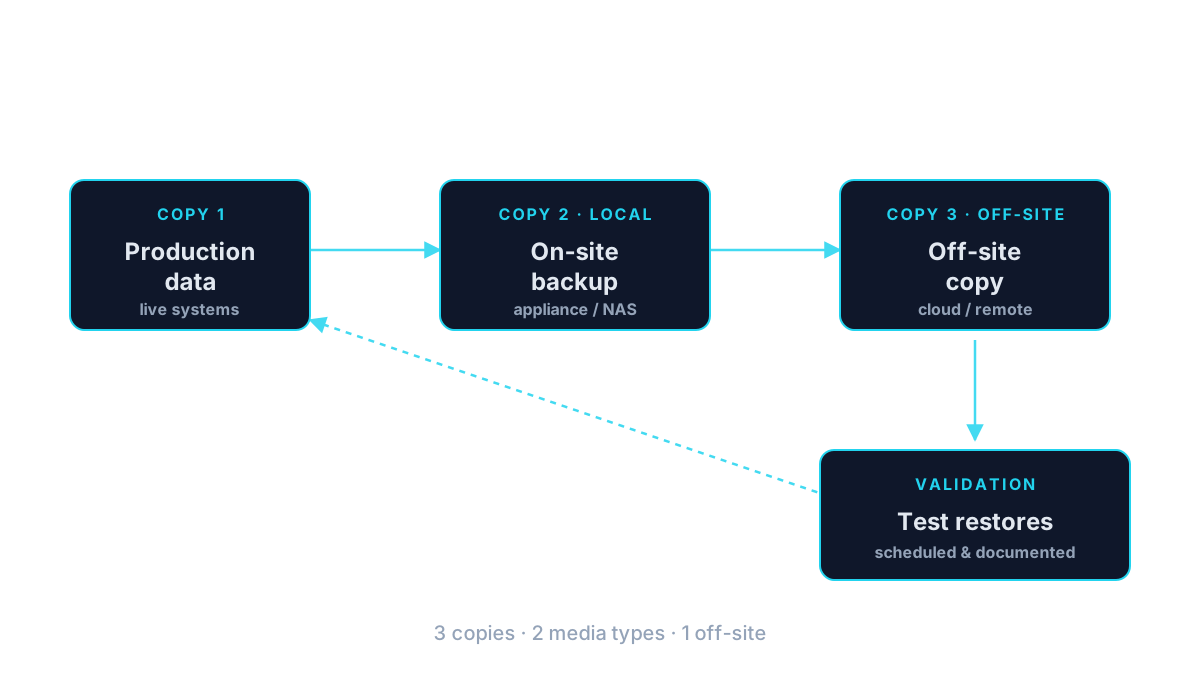
A fast local copy for common recovery, an off-site copy for site loss, and an immutable copy for ransomware — three roles, not one big folder waiting to be encrypted.
What's Included
Image-Level BCDR Appliance
Datto SIRIS, Veeam, or Acronis on-prem — hypervisor-aware, application-consistent, with instant virtualization for rapid failover.
Immutable Cloud Replication
Object-lock or WORM cloud storage with delete-lock retention and credential isolation from production identities.
Microsoft 365 Backup
Point-in-time protection for Exchange Online, OneDrive, SharePoint, and Teams — the layer Microsoft does not provide.
5-Minute RPO Capability
Snapshot intervals as tight as 5 minutes where the workload and business case justify it; longer intervals where they don't.
Cross-Region Cloud DR
Optional DR-in-the-cloud tier — spin up recovered workloads in Azure or a Datto/Veeam cloud region if the primary site is destroyed.
Written DR Runbook
Documented recovery playbook with order-of-operations, dependencies, vendor contacts, and communications templates.
Quarterly Restore Evidence
Screenshots, timing data, and success/failure records against RTO/RPO — the exact artifacts auditors and underwriters ask for.
Ransomware-Specific Recovery Playbook
Isolation, credential rotation, forensic preservation, and clean-restore sequence — coordinated with counsel, insurer, and forensic responder.
Application-Consistent Backups for SQL / Exchange
VSS-integrated snapshots for databases and mail stores so restores come back transactionally consistent, not in a crash-recovery state.
Retention Aligned to Records Policy
Backup retention schedules built to match your actual legal, tax, and industry retention obligations — not vendor defaults.
Outcomes That Matter
Benefits & Results
Ransomware Recovery Without Paying
Immutable off-site copies and rehearsed restores mean a ransomware event becomes a bad week, not an extortion negotiation.
Key Advantage
Real, Not Theoretical, Recovery Times
Because we test, the RTO on paper is the RTO you'll actually experience under stress.
Cyber-Insurance Renewability
Immutable backups, tested restores, and a written IR plan are the specific controls underwriters now score against. This program clears those questions truthfully.
Compliance Evidence, Continuously Collected
HIPAA contingency planning, PCI 12.10, SOC 2 CC7.5, and Nevada NRS 603A obligations produce documentation as a byproduct of normal operations.
Protected Microsoft 365 Data
Point-in-time restore across mail, files, sites, and Teams — the layer most organizations assume Microsoft covers and are surprised to learn it doesn't.
Confident Leadership Under Incident Stress
A written runbook and rehearsed playbook mean the leadership team makes better decisions in the first hour of an incident — where most of the eventual cost is either avoided or locked in.
Right-Sized Investment
Backup spend matched to RTO/RPO by workload — no over-buying for non-critical systems, no under-buying for the systems the business actually runs on.
What recovery looks like
An incident that becomes a short story
When protection is done well, the day of the incident is a story people tell later — not a week the company spent rebuilding email, finance data, and customer records.

Risks Addressed and Operational Outcomes
What Backup and Recovery Planning Is Designed To Change
Backup and recovery work is designed to make failure survivable, not to promise that failure will never occur.
Risks addressed
- Backup failures that go unnoticed until a real event
- A single copy of critical data on a single site
- Recovery expectations that have never been written down
- Microsoft 365 data assumed to be protected by default
- Recovery plans that have never been rehearsed
Operational outcomes
- A documented backup design tied to the systems that matter
- Alerting on failed and missed jobs
- Offsite copies of critical data
- A written recovery expectation reviewed with leadership
- Structured recovery testing with documented results
A 3-2-1 backup approach
Representative Situations
Situations Backup Planning Commonly Addresses
These are representative situations, not case studies.
Representative situation
A professional office may discover during a routine review that the last successful backup of a critical file share is older than expected and no one is watching the alerts.
A documented backup design with monitored jobs and periodic recovery testing becomes the priority.
Representative situation
An operations leader may want a written answer to 'if a server failed tomorrow, how quickly could we be operating again?'
A recovery-objective review paired with a backup design becomes the near-term deliverable.
Representative situation
A multi-location organization may need to confirm that a site-level outage cannot destroy the only copy of shared data.
Offsite retention and a written recovery plan for each critical system become the focus.
Who This Service Is For
Whether you're a homeowner, small business, or enterprise — we tailor our approach to your specific needs.
Regulated Practices (Healthcare, Legal, Financial)
Organizations with explicit contingency-planning, retention, and recovery-testing obligations under HIPAA, PCI, SOC 2, or state law.
Businesses Facing Cyber-Insurance Renewal
SMBs where the renewal questionnaire now demands immutable backup, tested restores, and a written IR plan — and where the honest answer today is 'we're not sure.'
Any Business Running on Microsoft 365
Which is nearly all of them — and almost none of which have real backup separate from Microsoft's native retention.
Firms Coming Off a Close Call or Incident
Organizations that just experienced a near-miss (mistaken deletion, brief ransomware event, hardware failure) and have realized backup was thinner than they thought.
Multi-Site Businesses
Companies with two or more locations that need coordinated backup, replication, and DR across sites — often with one site acting as a DR target for another.
Construction, Engineering & Manufacturing
Firms with large CAD, BIM, and project files where a lost day of work has an obvious dollar cost and RPO matters a lot.
Numbers on paper
Recovery targets stated in writing
How much data the business can afford to lose, and how long it can afford to be down, are answered on paper up front — so a real incident doesn't turn into an improvised negotiation.

Is This the Right Fit
When Backup Planning Is the Right Starting Point
Backup and continuity are related but distinct. This section clarifies which is the right first step.
This is a good fit when
You need protection against data loss and destructive events
Backups need to be structured, monitored, and periodically tested.
A different service may fit better
Consider Business Continuity
If leadership needs a written answer to how the organization operates during an extended disruption, not only how data is recovered.
Business ContinuityConsider Managed IT
If backup should live inside a broader operating model rather than as a stand-alone project.
Managed IT
Technology & Tools
We leverage industry-leading platforms and enterprise-grade equipment to deliver reliable, future-proof solutions.
BCDR appliance with hypervisor-aware image backup, instant local virtualization, and immutable Datto Cloud replication. Preferred for turnkey SMB deployments.
Broadest hypervisor and cloud target support, granular application-aware processing, and mature cross-region DR — preferred for larger or mixed environments.
Endpoint + server backup with integrated anti-malware — useful where endpoint backup is in scope alongside server workloads.
Immutable cloud storage tiers used as replication targets. Delete-locked retention that ransomware cannot bypass.
Dedicated Microsoft 365 backup — mailboxes, OneDrive, SharePoint, Teams — with point-in-time restore.
Cloud DR orchestration for organizations where a full site failover to Azure or a second on-prem site is a real requirement.
Living recovery playbooks stored alongside the rest of your environment documentation — versioned, reviewed, and rehearsed.
Service Tiers & Options
Backup as a Service (BaaS)
Fully managed backup: appliance, cloud replication, monitoring, remediation, and quarterly restore testing on a monthly per-workload or per-TB subscription.
Disaster Recovery as a Service (DRaaS)
BaaS plus DR orchestration — recovered workloads spin up in a cloud or secondary-site environment on demand, with rehearsed failover procedures.
Microsoft 365 Backup Only
Stand-alone protection for M365 data at a per-mailbox monthly price — the fastest way to close the most common backup gap.
BC/DR Program Design
Fixed-fee engagement to run the BIA, define RTO/RPO by workload, design the backup and DR architecture, and produce a written DR runbook — with or without ongoing management.
Frequently Asked Questions
Get answers to the most common questions about this service. Can't find what you're looking for? Contact us directly.
Working With Inoconn
How We Build Trust With Business Clients
Business engagements depend on documented process, clear communication, and honest scope. These are the operational habits we bring to every commercial relationship.
Documented processes
Onboarding, change, and support routines are written down and shared with the customer, not carried in one person's head.
Clear communication
Scope, change windows, and escalation paths are agreed with the customer before work begins and revisited on a defined cadence.
Scope discipline
What is in scope, what is out of scope, and how additions are handled are documented up front to avoid quiet drift.
Technical documentation
Environments, credentials, and vendor relationships are documented in structured records the customer can review.
Vendor coordination
We work directly with the customer's line-of-business vendors, carriers, and platforms rather than routing them back through the customer.
Lifecycle planning
Hardware, licensing, and platform end-of-life dates are tracked so refresh conversations happen early rather than under pressure.
Getting Started
Preparing for an Engagement
Practical guidance for leadership evaluating whether this service is the right next step.
Preparing for an assessment
- A sense of the systems and data leadership cannot afford to lose
- Any recovery expectations leadership has already discussed
- Existing backup platforms or arrangements, if any
- Whether Microsoft 365 data is currently protected separately
Information to gather
- Approximate data footprint of critical systems
- Whether backups are currently monitored and by whom
- Whether recovery has been tested and when
- Any client, insurer, or framework requirement driving the effort
Typical engagement stages
Week 1
Recovery-objective review with leadership and environment assessment.
Week 2
Written backup design and platform recommendation.
Weeks 3–4
Implementation, initial seeding, and first successful job validation.
Week 5+
Structured recovery testing and ongoing monitoring cadence.
Ready for Data Backup & Disaster Recovery?
Don't let technology problems slow you down. Contact Inoconn today to discuss your goals and see how our team can deliver the results you need — reliable, expert IT support you can build a business on.
No obligation. Honest, expert IT support.
Client success story
99.9% uptime with protected business data
Quoting, inventory, and customer records were consolidated onto systems with a documented recovery posture.
Read the Summit Tile & Stone case studyBuyer Journey
Where This Fits in a Broader IT Program
Business technology decisions rarely stand alone. These are the services most commonly discussed alongside this one and why they show up together.