
VoIP & Business Phone Systems
Business Phones That Behave Like Modern Software
The desk phone is optional now. What matters is that a call to your business rings the right people, on the right devices, in the right order, with recording, routing, and reporting behind it. Inoconn designs and manages hosted VoIP and SIP phone systems for Las Vegas businesses — with the network engineering underneath that makes call quality boringly reliable.
Detailed Service Overview
Business VoIP replaces the copper phone lines and hardware PBX that used to sit in a closet with a cloud-hosted phone system delivered over your internet connection. Calls travel as data. Extensions become software identities that can ring a desk phone, a Windows softphone, a Mac softphone, and a mobile app simultaneously, so a single call can be answered wherever the person is working that day.
Inoconn designs, deploys, and manages business VoIP for organizations across Las Vegas, Henderson, Summerlin, and greater Southern Nevada. Our deployments range from 5-seat professional practices to 200-seat contact-adjacent operations. We are agnostic on platform — RingCentral, Nextiva, 8x8, Zoom Phone, Sangoma, 3CX, and Microsoft Teams Phone all live in our portfolio — and we choose based on your call patterns, existing tooling, and integration needs rather than a single vendor bet.
This service is built for four common situations: replacing a legacy PBX (Avaya, Mitel, NEC, older Cisco Call Manager) that is at end-of-support; consolidating multiple offices onto one phone system after growth or acquisition; enabling remote and hybrid work with a phone platform that treats mobile and desktop as first-class; and adding contact-center-lite features (call queues, ring groups, recording, wallboards) to an existing phone system that has outgrown its plan.
The problems VoIP clients usually walk in with are specific: dropped or robotic calls (a network problem masquerading as a phone problem), extensions that ring in the wrong order, an auto-attendant that hasn't been updated since 2019, no visibility into missed calls, voicemails going to a former employee's cell phone, and — for anyone with remote or field staff — an E911 setup that would not survive an audit.
The right VoIP deployment is 30% platform selection and 70% network engineering. QoS on the LAN and WAN, symmetric bandwidth sized to concurrent call load, a firewall with SIP ALG turned OFF, redundant internet where the business truly can't tolerate a phone outage, and E911 configured per location for every softphone. Skip that engineering and you get the classic 'we replaced our phones and now they sound worse' story.
Inoconn Commitment
Every service we deliver is backed by our satisfaction guarantee and decades of combined IT expertise.
How it looks
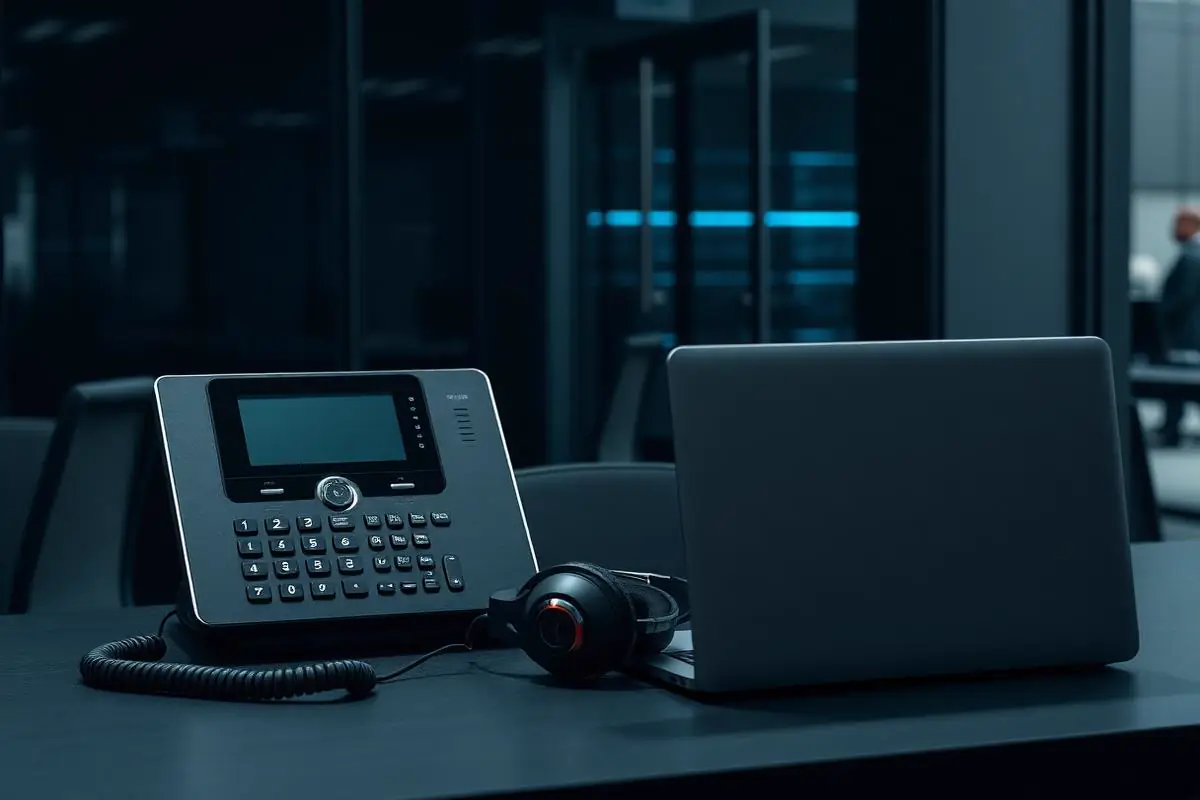
Calls, voicemail, and meetings on one number
Employees stay reachable at their desk, on their laptop, or on their phone — without juggling separate systems for each.
Critical Insight
Why Voice Is a Network Problem, Not a Phone Problem
Why This Service Matters
Voice traffic is small in bandwidth but merciless about jitter and packet loss. Fifty milliseconds of jitter is inaudible on a Zoom call and catastrophic on voice. A single misconfigured switch port or an untrusted 802.1p tag can make a whole office sound underwater. The businesses that hate VoIP almost always hate a network that was never engineered for it.
The business case for modern voice is not primarily cost — hosted VoIP is often modestly cheaper than legacy PRI plus PBX maintenance, but the real win is capability. Auto attendants, call queues, hunt groups, business-hours routing, voicemail-to-email, call recording, real-time analytics, and native mobile and desktop softphones are standard features now. What used to require a $30,000 Avaya deployment is a checkbox in a hosted admin console.
Compliance and safety obligations matter here too. E911 rules — Kari's Law and RAY BAUM's Act — require multi-line telephone systems to deliver a dispatchable location for every 911 call and to notify a central point when a 911 call is placed. Softphones make that harder because the caller is mobile; done wrong, a call from a laptop in a car sends dispatch to your office. Doing this right is a design decision, not an afterthought.
Where This Fits
Where Business Phone Systems Fit
Modern business phone systems are a good fit when call handling, voicemail, and mobility need to work consistently for teams and sites.
Professional offices
Firms replacing aging PBX hardware or legacy carrier lines.
Medical and dental practices
Practices with structured call routing, after-hours handling, and voicemail expectations.
Multi-location businesses
Companies that want a single dial plan and consistent features across sites.
Retail locations
Storefronts needing simple, reliable inbound handling and back-office extensions.
Hybrid workforces
Teams whose staff take business calls from desks, laptops, and mobile devices.
Problems → Solutions
Challenges We Eliminate
Robotic or Dropped Calls
One-way audio, choppy audio, and dropped calls that appear random — almost always a QoS, SIP ALG, or bandwidth problem, not a phone platform problem.
Network Readiness Assessment First
Before we quote a platform we test your LAN, WAN, firewall, and switching for VoIP readiness. QoS design, SIP ALG state, bandwidth headroom, MOS score baseline, and PoE budget on switches are all measured, not assumed.
Calls Ring the Wrong People
Hunt groups and ring rules built years ago that no longer reflect the org chart; VIP calls landing in a general queue.
Platform-Neutral Selection
We match your call patterns, existing tooling, and integration needs against RingCentral, Nextiva, 8x8, Zoom Phone, Sangoma, 3CX, and Teams Phone — and recommend the fit, not the referral.
Voicemail-to-Email Going to Ex-Employees
Extensions still tied to personal cell phones and mailboxes belonging to former staff.
Managed Number Porting
LOAs, port orders, coordination with the losing carrier, and a documented cutover window. Direct-dial numbers, main lines, fax numbers, and toll-free — all planned as one project.
No E911 Location Data
Softphones and remote extensions with no dispatchable location — a real regulatory exposure since RAY BAUM's Act took effect.
Auto Attendants & Business-Hours Routing
Written IVR script per line: greeting, menu, options, after-hours behavior, holiday schedule. Recorded professionally where needed.
Missed Calls With No Reporting
Nobody knows how many calls the business dropped last week, when the peaks were, or which queues were understaffed.
Call Queues & Ring Groups
Queue design based on how the business actually answers: round-robin, longest-idle, skill-based where the platform supports it. Overflow rules and abandonment thresholds set to real targets.
Two Phone Systems After an Acquisition
Two offices, two vendors, two dial plans, two admin consoles — and users transferring calls that mysteriously vanish.
Softphones on Desktop and Mobile
Windows and Mac desktop apps, iOS and Android mobile apps, with presence and single sign-on. One extension, every device.
Legacy PBX at End of Support
An Avaya IP Office, Mitel, or older Cisco Call Manager past end of support, running on hardware nobody makes parts for.
E911 Done Correctly
Dispatchable locations per site and per softphone-capable user, ELIN or nomadic emergency routing per platform, and internal notification on 911 calls per Kari's Law.
Engagement Model
How a Business Phone Engagement Runs
Phone system engagements begin with how the business actually uses the phone and end with a clean cutover from the previous provider.
Requirements review
Discussion of call flow, number inventory, hardware needs, and user roles across departments and sites.
Platform planning
Written recommendation covering platform, call routing, voicemail, and any Teams or mobile client needs.
Number porting coordination
Structured porting of existing business numbers from the current carrier.
Implementation
Provisioning of extensions, call flows, voicemail, and hardware ahead of cutover.
Cutover
Coordinated cut from the previous system with support on site or on standby as staff learn the new platform.
Post-cutover review
Follow-up to adjust call flow, voicemail, and role configuration once real usage has begun.
Communications Platforms
Business Communications Platforms
Business phone engagements are scoped to platforms we regularly deploy and support. Every design includes a review of numbers, call flow, and existing carrier commitments.
Hosted / cloud phone systems
Modern business phone platforms with mobile, desktop, and desk-phone clients.
Microsoft Teams calling
Teams-based calling for organizations already standardized on Microsoft 365.
Number porting
Coordination of existing business numbers to the new platform.
Call flow and voicemail
Auto-attendants, hunt groups, after-hours routing, and voicemail-to-email.
Handsets and headsets
Business-grade hardware selection aligned to how each role uses the phone.
What's Included
Hosted PBX (Multi-Vendor)
RingCentral, Nextiva, 8x8, Zoom Phone, Sangoma, 3CX — matched to your requirements, not a single-vendor loyalty.
Number Porting
Local, toll-free, and fax number porting from any US carrier with LOA management and cutover coordination.
Auto Attendants & IVR
Multi-level menus, business-hours and holiday routing, and after-hours voicemail-to-email or on-call routing.
Call Queues & Ring Groups
Round-robin, longest-idle, and simultaneous ring; overflow rules; and abandonment reporting.
Call Recording
Optional per-extension or per-queue recording with retention aligned to compliance (HIPAA-eligible where the platform is HIPAA-compliant).
Voicemail-to-Email & Transcription
Voicemail delivered to email as audio with transcription; visual voicemail on softphone apps.
Desktop & Mobile Softphones
Windows, Mac, iOS, Android — same extension, same presence, same voicemail across every device.
E911 & Kari's Law Compliance
Dispatchable location per site and per user, nomadic 911 for softphones, and internal notification on 911 calls.
QoS & Network Engineering
Switch-level QoS tagging, firewall policy, and bandwidth planning designed for voice before deployment.
Contact-Center Lite Features
Wallboards, real-time queue metrics, whisper/monitor/barge for supervisors, and API/CRM integrations for click-to-dial and screen pops.
Teams Phone / Direct Routing
Full Microsoft Teams Phone deployment via Calling Plans, Operator Connect, or Direct Routing with cloud SBC.
Outcomes That Matter
Benefits & Results
Call Quality You Stop Thinking About
Voice engineered from the switch port outward means calls sound clean and stay connected, even during video-heavy days.
Key Advantage
Answered Calls, Not Missed Ones
Queue and hunt group design based on actual call flow means the right person picks up faster.
One Number, Every Device
Softphones make office, home, car, and travel indistinguishable to a caller.
Faster Response for Sales & Service
CRM integration, screen pops, and click-to-dial cut seconds from every call — and seconds compound.
Regulatory Safety
E911 done correctly means a 911 call reaches dispatch with the right location, and a supervisor is notified — as the law requires.
Predictable Monthly Cost
Per-user subscription pricing that scales with headcount, without the capital cost or maintenance of on-prem PBX.
Post-Merger Integration
Two offices, two vendors, one dial plan — extensions dial extensions, no matter which system they came from.
Risks Addressed and Operational Outcomes
What a Modern Phone System Is Designed To Change
Business phone engagements are designed to make call handling reliable across staff, roles, and sites.
Risks addressed
- Aging hardware that cannot support new roles or workflows
- Fragmented voicemail and call routing across sites
- Number ownership tied to a legacy carrier without a clean exit path
- Missed calls during transitions between office and mobile use
Operational outcomes
- A documented call flow that reflects how the business actually operates
- A single platform for desk, desktop, and mobile use where appropriate
- Business numbers ported cleanly to the new platform
- Voicemail routing that matches roles rather than devices
Representative Situations
Situations Business Phone Projects Commonly Address
These are representative situations, not case studies.
Representative situation
A growing professional office may reach the point where the existing phone hardware cannot cleanly add new extensions or support staff who split time between desk and mobile.
A modern platform with mobile and desktop clients becomes the near-term goal.
Representative situation
A multi-location organization may want a single dial plan, shared voicemail routing, and consistent features across sites.
A written call-flow and platform design becomes the focus of the engagement.
Who This Service Is For
Whether you're a homeowner, small business, or enterprise — we tailor our approach to your specific needs.
Businesses Replacing a Legacy PBX
Firms on Avaya IP Office, Mitel, NEC, or older Cisco Call Manager that is at or near end of support.
Multi-Location Companies
Organizations with 2-10 offices that need one dial plan, one voicemail, and one admin console.
Remote and Hybrid Teams
Companies where 'the phone' has to be wherever the employee is that day.
Professional Practices with Reception Workflows
Medical, dental, legal, and financial practices with routed reception, appointment reminders, and on-call rotations.
Sales and Service Teams
Businesses whose revenue depends on speed of answer and integration with CRM/ticketing.
Microsoft 365 Shops Ready for Teams Phone
Organizations already on Microsoft 365 that want voice inside the Teams client instead of a separate app.
Technology & Tools
We leverage industry-leading platforms and enterprise-grade equipment to deliver reliable, future-proof solutions.
Leading hosted UCaaS platforms — we're certified on the ones we deploy and neutral on which we recommend.
Microsoft Calling Plans, Operator Connect, and Direct Routing with a cloud session border controller (Ribbon, AudioCodes).
Self-hosted or hosted PBX options for organizations that need on-prem or hybrid control, or specific SIP trunk economics.
Provisioned via zero-touch, PoE-powered, configured with the right dial plan and paging codes for the platform.
Bring-your-own-carrier configurations for platforms that support it, when the trunk economics favor it.
Cisco Meraki, Ubiquiti UniFi, Aruba Instant On — configured with voice VLAN and 802.1p/DSCP tagging.
Fortinet, Meraki MX, Sophos, WatchGuard — configured for VoIP without the SIP helper that breaks most deployments.
Southern Nevada Context
Business Phone Cutovers in the Las Vegas Valley
Business phone projects across the Las Vegas Valley combine remote configuration with on-site presence during cutover. Coverage includes Las Vegas, Henderson, and Spring Valley — with number-porting coordination handled with the customer's existing carrier regardless of neighborhood.
- Las Vegas
- Henderson
- Spring Valley
Service Tiers & Options
New Phone System Deployment
Greenfield or full replacement: platform selection, network readiness, porting, IVR/dial-plan design, hardware, and cutover.
Legacy PBX Migration
Structured migration off Avaya, Mitel, NEC, or older Cisco Call Manager with data extraction, dial-plan preservation, and phased cutover.
Teams Phone Deployment
Microsoft Teams Phone rollout with Calling Plans, Operator Connect, or Direct Routing — coordinated with the Microsoft 365 tenant.
Managed VoIP Administration
Ongoing changes, IVR updates, holiday schedules, new hires, offboarding, monthly quality reports, and quarterly plan reconciliation.
Contact-Center-Lite Add-On
Adding queue reporting, wallboards, supervisor tools, and CRM integration on top of an existing hosted PBX.
Frequently Asked Questions
Get answers to the most common questions about this service. Can't find what you're looking for? Contact us directly.
Getting Started
Preparing for an Engagement
Practical guidance for leadership evaluating whether this service is the right next step.
Preparing for an assessment
- A list of existing business numbers and current carrier
- A rough call flow and any after-hours or auto-attendant requirements
- A count of users, sites, and desk-versus-mobile role split
- Any Microsoft Teams standardization already in place
Information to gather
- Copies of recent carrier bills for the numbers being ported
- Any hardware currently in use (handsets, headsets, conference units)
- Peak call periods and any known reliability complaints
Typical engagement stages
Weeks 1–2
Requirements review, written platform recommendation, and number-porting request submission.
Weeks 3–5
Provisioning of extensions, call flow, voicemail, and hardware ahead of cutover.
Cutover week
Coordinated cut from the previous system with on-site or on-standby support.
Post-cutover
Follow-up review to adjust call flow and role configuration based on real usage.
Ready for VoIP & Business Phone Systems?
Don't let technology problems slow you down. Contact Inoconn today to discuss your goals and see how our team can deliver the results you need — reliable, expert IT support you can build a business on.
No obligation. Honest, expert IT support.
Buyer Journey
Where This Fits in a Broader IT Program
Business technology decisions rarely stand alone. These are the services most commonly discussed alongside this one and why they show up together.