
Remote Monitoring & Management (RMM)
The Quiet Layer That Keeps Everything Else From Becoming an Emergency
RMM is the always-on nervous system underneath a modern IT operation. Inoconn deploys, tunes, and operates RMM across Windows, macOS, servers, and network devices for Las Vegas, Henderson, and Summerlin businesses — so problems are found and fixed before users notice, patches actually land, and inventory reports match reality.
Detailed Service Overview
Remote Monitoring and Management is the tooling and operating discipline that lets a small team run a large fleet of endpoints, servers, and network devices without visiting each one. A modern RMM agent runs quietly on every managed device, streaming telemetry — disk health, memory pressure, service state, patch level, event logs, security posture — to a central console where automation triages, alerts, and often remediates without human involvement. What used to require a truck roll now happens in the background.
Inoconn operates RMM as a service, not as a shelf-ware install. We deploy the agent, tune the monitor set to the environment (a law firm's file server needs different thresholds than a print shop's design workstation), build the automation library, integrate it with our PSA and documentation, and staff the queue that responds when automation escalates. The result is that most incidents are closed before the user opens a ticket — and the ones that reach a human arrive with context, history, and often a suggested fix already attached.
The scope covers Windows workstations and servers, macOS endpoints, Linux servers where applicable, network devices (switches, firewalls, APs, UPS units), and increasingly cloud infrastructure via API. We monitor performance and health, enforce patch cadence for the operating system and for the third-party applications that account for most exploited vulnerabilities (Chrome, Firefox, Adobe Reader, Java, Zoom, and the long tail of installed software), and run scripted maintenance on a schedule so the fleet stays in a known-good state.
RMM is not a security service, and we are explicit about that boundary. RMM tells us that Defender is enabled and updated; a Managed Detection and Response (MDR) service is what actually hunts, triages, and contains threats when a real attacker gets past the endpoint control. The two integrate — the RMM feeds telemetry into the MDR stack, and MDR alerts trigger RMM automation for containment — but they are separate services with separate SLAs and separate operators. We deploy both, together or independently, and we do not blur the line to sell more of one.
The engagement model is straightforward: RMM is part of every managed service tier and can also be delivered as a standalone or co-managed service where the client keeps ownership of the environment and Inoconn provides monitoring, patching, and automation. Reporting is monthly, structured for leadership rather than engineers: patch compliance, endpoint health, incident volume trended against baseline, and the specific automations that avoided a ticket.
Inoconn Commitment
Every service we deliver is backed by our satisfaction guarantee and decades of combined IT expertise.
How it looks
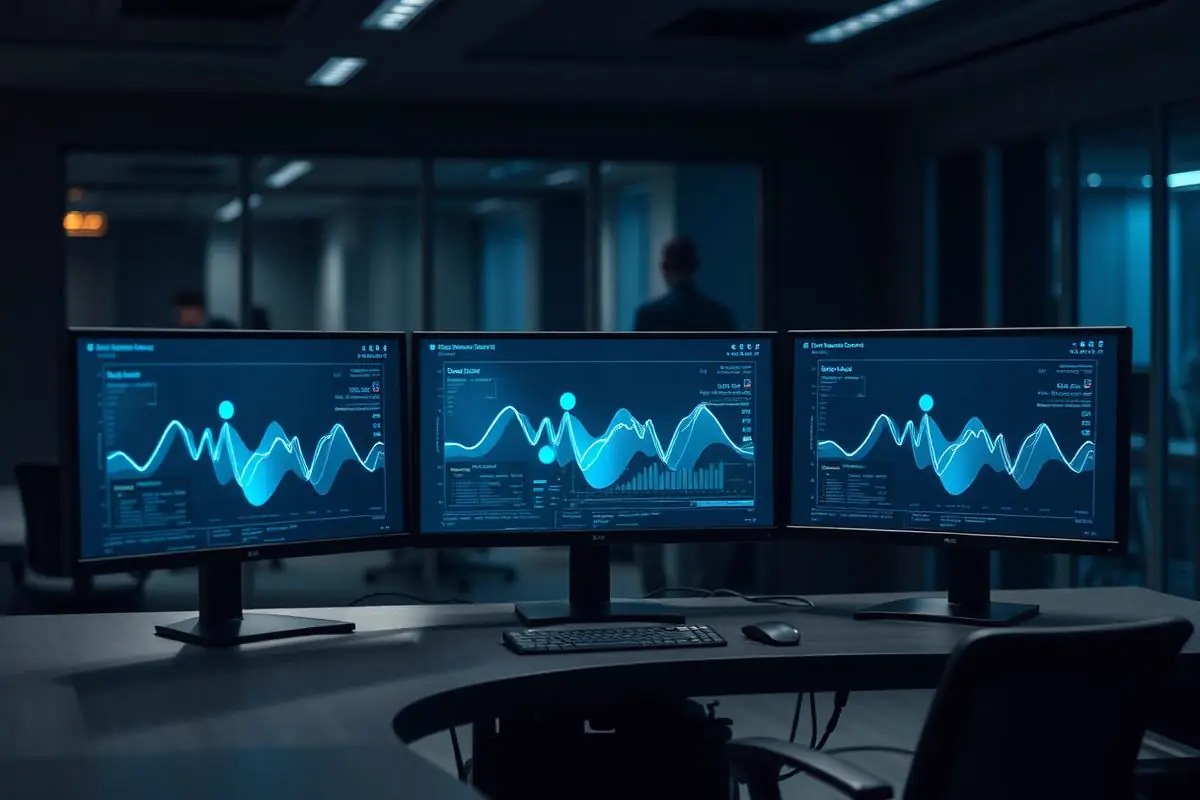
Someone is watching, even at 2 a.m.
Alerts are triaged as they happen so recurring issues get addressed at the source instead of piling up in the morning queue.
Critical Insight
Why RMM Turns IT From Firefighting to Engineering
Why This Service Matters
Without RMM, an IT team is a smoke detector: something is on fire, and a person is walking around checking rooms. With RMM, the same team gets a heat map, a leak-before-fire alert, and a documented history of every room's temperature over the past year. The organizational difference between the two operating models is enormous — it's the difference between reactive support and engineered reliability.
The economic case is equally clear. Every unplanned truck roll for a stuck update, a failing disk that could have been swapped during a scheduled window, or an out-of-patch browser exploited by a drive-by download is money spent to recover from something that should never have happened. RMM shifts that spend from reactive labor into subscription tooling and scheduled automation — a much more predictable line on the operating plan.
Finally, RMM produces the operational evidence that compliance frameworks now expect: patch reports, endpoint hardening status, agent coverage percentages, and change history. These artifacts satisfy insurance underwriters, SOC 2 auditors, HIPAA risk assessments, and CMMC evidence packages — and they get generated as a byproduct of normal operations rather than manufactured during audit week.
Where This Fits
Environments Where Remote Monitoring Applies
Remote monitoring pairs well with organizations that want visibility and early warning across their infrastructure without necessarily outsourcing every operational task.
Professional offices
Firms with mixed device fleets, servers, and networking gear needing consistent oversight.
Multi-location businesses
Companies that need a single view across office sites.
Internal IT departments
Teams that want proactive alerts to reach them before end users notice an issue.
Retail locations
Storefronts where connectivity and point-of-sale continuity is critical to daily revenue.
Problems → Solutions
Challenges We Eliminate
Users Report Problems Before IT Sees Them
The first sign of a failing disk, a rogue process, or a stuck patch is a user ticket — meaning monitoring is decorative at best.
Agent Deployment With Full Coverage
Endpoints and servers onboarded to a single console, with a documented process to catch new devices at first login and quarantine anything that resists agent install.
Patch Compliance Is Aspirational
The organization believes patches are 'automatic,' but a sampled endpoint hasn't had a successful cumulative update in four months.
Environment-Specific Monitor Tuning
Thresholds and monitor sets tuned per role (workstation, file server, DC, hypervisor, network device) so alerts mean something.
Third-Party Apps Are Never Updated
Windows Update runs; Chrome, Adobe Reader, Zoom, and the other 40 apps installed across the fleet do not.
OS and Third-Party Patch Management
Approved patch rings with pilot, broad, and hold groups; third-party patching for the top vulnerable applications; verified compliance reports.
Asset Inventory Is a Spreadsheet From Two Years Ago
Nobody can answer 'how many laptops do we have, and where are they?' with confidence — a problem the moment an employee leaves.
Automation Library
Scripted remediation for the top recurring issues — stuck spooler, low disk, orphaned profile, browser data cleanup — so machines self-heal before an alert becomes a ticket.
Every Fix Requires a Truck Roll
Support means a technician physically visits the machine, even for issues a script could resolve remotely in 90 seconds.
Remote Remediation With Session Recording
Attended and unattended remote access with recorded sessions for auditability, keyed to ticket lifecycle.
Alert Fatigue From an Untuned Monitor Set
The team has RMM but every low-priority event pages someone, so real alerts get lost in the noise.
Asset Inventory That Reconciles To Reality
Hardware, software, warranty, serial, assigned user, and location — refreshed automatically and reconciled against ticketing.
No Line Between RMM, EDR, and MDR
The organization thinks 'we have RMM' means 'we have security monitoring,' which is a category error that leaves real gaps.
SLA-Backed Alert Response
Alerts feed the PSA queue with defined response and resolution SLAs by severity, tracked in monthly reporting.
Step by Step
Our Process
Environment Discovery
Enumerate every endpoint, server, and network device that must be covered. Identify BYOD, contractor, and legacy machines that need special handling. Document ownership and access boundaries.
Tooling & Console Setup
Deploy the RMM (NinjaOne, Datto RMM, or ConnectWise Automate depending on fit), configure policies by device role, and integrate with the PSA, documentation platform, and identity provider.
Agent Rollout & Coverage Verification
Silent deployment via GPO, MDM, or scripted install; daily coverage report until the environment reaches ≥98% agent presence; documented exceptions for the rest.
Monitor & Automation Tuning
Two-week noise-reduction pass to eliminate false positives, then build the automation library against the top recurring ticket categories from the prior 12 months.
Patch Program Launch
Define maintenance windows, approval workflow, pilot ring, and rollback plan. First cycle runs with heightened attention; steady state moves to a monthly cadence with critical CVEs handled out-of-band.
Operate & Report
Ongoing operations with monthly patch, health, and coverage reporting to the account owner and a quarterly review with leadership to adjust monitor sets, automation, and roadmap.
Monitoring Coverage
What Remote Monitoring Covers
Remote monitoring is scoped to devices, systems, and services the organization has authorized us to monitor and act on.
Windows workstations
Health, patch, and disk telemetry from supported Windows versions.
Windows Server
Service, disk, and event telemetry for supported server workloads.
Business networking
Uptime and performance telemetry from supported firewalls, switches, and access points.
Backup jobs
Alerting on backup failures, missed jobs, and integrity issues.
Endpoint security
Alerting from the endpoint security platform in use.
What's Included
Windows & macOS Endpoint Monitoring
Uniform monitor set across mixed fleets, with role-based policies for workstations, laptops, and shared machines.
Server Monitoring (Windows / Linux / Hypervisor)
Deeper monitor sets for servers — service state, event log correlation, disk latency, SMART, backup job status, and hypervisor cluster health.
Network Device Monitoring
SNMP and API-based monitoring of switches, firewalls, APs, and UPS units with correlated topology so a switch failure doesn't produce 40 unrelated endpoint alerts.
OS Patching With Rings
Pilot → broad → hold rings, defined maintenance windows, and reboot orchestration that respects business hours.
Third-Party Patching
Curated third-party catalog covering browsers, runtimes, PDF readers, conferencing, and the specific line-of-business apps in scope.
Scripting & Automation
PowerShell and shell scripting library covering routine maintenance, remediation, and user onboarding/offboarding tasks — versioned and change-controlled.
Remote Access With Auditing
Unattended and attended remote sessions with recording, tied to the ticket that authorized them.
Live Asset Inventory
Hardware, software, warranty, and assignment data reconciled continuously — the source of truth for procurement, refresh planning, and offboarding.
Structured Reporting
Monthly patch compliance, incident volume, and health scorecards; quarterly executive review with trend analysis.
Outcomes That Matter
Benefits & Results
Fewer Incidents Reach Users
The majority of common issues are detected and fixed before the user notices, measurably reducing ticket volume within 90 days.
Key Advantage
Real Patch Compliance
Compliance moves from 'we run Windows Update' to a monthly report showing coverage by ring, exceptions, and CVE closure — auditable evidence.
Lower Reactive Labor Cost
Automation handles routine work, freeing the technical team for engineering and strategic projects rather than firefighting.
Faster Offboarding and Asset Recovery
Live inventory turns termination day into a checklist rather than an investigation, protecting the organization from license, data, and hardware leakage.
Better Insurance and Audit Outcomes
Patch reports, endpoint hardening evidence, and coverage percentages are exactly the artifacts insurers and auditors ask for.
Risks Addressed and Operational Outcomes
What Remote Monitoring Is Designed To Change
Remote monitoring is designed to make issues visible before end users notice them, within the scope of the systems being monitored.
Risks addressed
- Failed backups discovered only during a recovery attempt
- Server and disk issues that surface as outages instead of warnings
- Endpoint security alerts that reach an inbox no one watches
- Network events that repeat for weeks without documentation
Operational outcomes
- A defined list of monitored systems and thresholds
- Alerts routed to a documented on-call routine
- A record of recurring events that becomes actionable data
- Early warning ahead of many common failure modes
Who This Service Is For
Whether you're a homeowner, small business, or enterprise — we tailor our approach to your specific needs.
Small Businesses Without Internal IT
Companies where a managed provider is the entire IT function and needs to operate the fleet efficiently.
Co-Managed IT Environments
Internal IT teams that want RMM operated by a partner while they focus on strategic and internal work.
Multi-Location Organizations
Businesses whose fleet is spread across offices, remote workers, and field staff, where physical access is impractical.
Regulated Industries
Healthcare, legal, financial, and government contractors whose frameworks require documented patch and hardening evidence.
Is This the Right Fit
When Remote Monitoring Is the Right Starting Point
Remote monitoring is often a component of a broader engagement.
This is a good fit when
You want early warning across your infrastructure
You need alerting and visibility without necessarily outsourcing every operational task.
A different service may fit better
Consider Server Management
If the primary concern is a small but critical server footprint.
Server Management
Technology & Tools
We leverage industry-leading platforms and enterprise-grade equipment to deliver reliable, future-proof solutions.
Modern cloud-native RMM with strong automation, third-party patching, and remote-access tooling. Frequently our default for mid-market fleets.
Deep automation library and integration with Datto backup — a strong fit for shops standardized on the Kaseya/Datto stack.
Powerful scripting and PSA integration for organizations already operating on the ConnectWise ecosystem.
Third-party patch sourcing feeding the RMM's approval and deployment workflow.
Complementary MDM/config layer for modern-managed Windows and macOS endpoints, integrated with the RMM for hardware detail.
Documentation platform that keeps device runbooks, credentials, and network topology in sync with RMM inventory.
Service Tiers & Options
Managed RMM (Included)
Bundled with any managed IT tier; the operational backbone of the service.
Standalone RMM Operations
For organizations with existing IT that want a partner to operate the monitoring, patching, and automation layer only.
Co-Managed RMM
Shared console model where the internal IT team operates day-to-day and Inoconn covers after-hours, patching, and automation.
Frequently Asked Questions
Get answers to the most common questions about this service. Can't find what you're looking for? Contact us directly.
Working With Inoconn
How We Build Trust With Business Clients
Business engagements depend on documented process, clear communication, and honest scope. These are the operational habits we bring to every commercial relationship.
Documented processes
Onboarding, change, and support routines are written down and shared with the customer, not carried in one person's head.
Clear communication
Scope, change windows, and escalation paths are agreed with the customer before work begins and revisited on a defined cadence.
Scope discipline
What is in scope, what is out of scope, and how additions are handled are documented up front to avoid quiet drift.
Technical documentation
Environments, credentials, and vendor relationships are documented in structured records the customer can review.
Vendor coordination
We work directly with the customer's line-of-business vendors, carriers, and platforms rather than routing them back through the customer.
Lifecycle planning
Hardware, licensing, and platform end-of-life dates are tracked so refresh conversations happen early rather than under pressure.
Getting Started
Preparing for an Engagement
Practical guidance for leadership evaluating whether this service is the right next step.
When to contact us
- You want early warning across your infrastructure without outsourcing everything
- Alerts currently go to inboxes no one is watching
- You need a defined list of monitored systems and thresholds
Preparing for an assessment
- A list of systems in scope (workstations, servers, network, backup)
- Current alerting arrangements, if any
- The team that should receive alerts and how they should be routed
Ready for Remote Monitoring & Management (RMM)?
Don't let technology problems slow you down. Contact Inoconn today to discuss your goals and see how our team can deliver the results you need — reliable, expert IT support you can build a business on.
No obligation. Honest, expert IT support.
Buyer Journey
Where This Fits in a Broader IT Program
Business technology decisions rarely stand alone. These are the services most commonly discussed alongside this one and why they show up together.